Digital Dashboard
Your all-in-one command center for business performance.
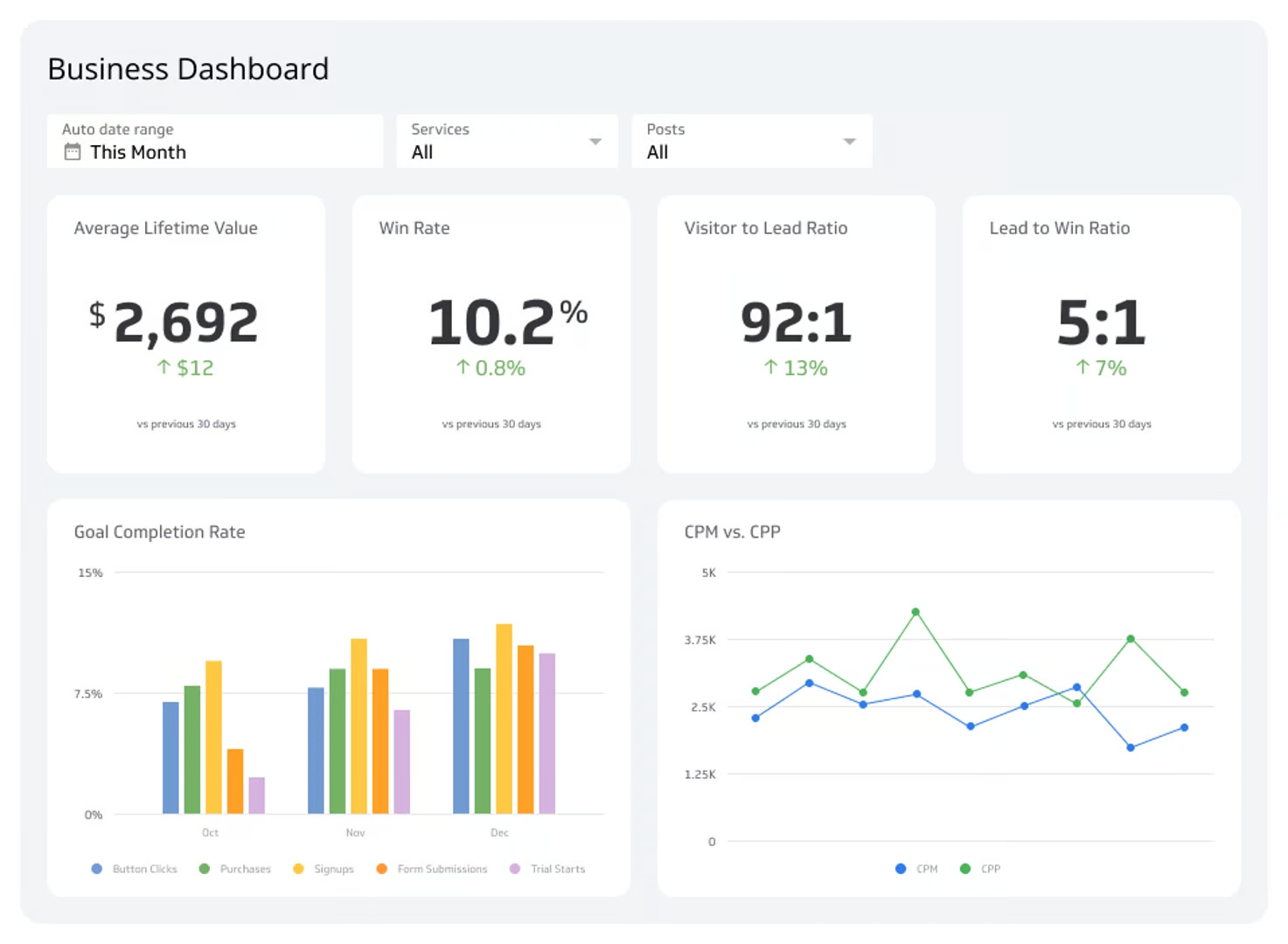
Is your business data scattered across spreadsheets, cloud services, and various apps? A digital dashboard solves this by consolidating all your critical metrics into one centralized, real-time view.
Let's explore what a digital dashboard is and how it helps you make smarter, data-driven decisions.
What is a digital dashboard?
A digital dashboard is a data visualization tool that consolidates and displays your most important KPIs and metrics on a single screen. It connects to multiple data sources — from databases and spreadsheets to cloud services — to give you a unified, real-time view of your business performance.
Think of it as the instrument panel for your business. Instead of manually compiling reports, a dashboard automates the process, presenting complex data through easy-to-understand charts, graphs, and tables. You can spot trends, identify opportunities, and address issues before they become major problems.
Why your business needs a digital dashboard
For growing businesses, staying agile is essential. Digital dashboards provide the clarity needed to navigate market changes and internal performance with confidence. By customizing a business dashboard to your specific goals, you can focus on the metrics that matter most to your growth.
Here's how a dashboard drives better business outcomes:
A single source of truth: It brings all your critical data together, eliminating conflicting reports and ensuring everyone on your team works with the same information.
Real-time performance tracking: Dashboards provide up-to-the-minute insights, so you're always making decisions based on the latest data.
Clear, simple visualizations: Complex data sets become intuitive visuals that anyone — from executives to team leads — can understand at a glance.
Faster, more informed decisions: With clear visibility into what's working and what isn't, you can act quickly to solve problems and seize opportunities.
Improved team alignment: When goals and performance are visible to everyone, it fosters accountability and keeps the entire team focused on shared objectives.
Whether you're a CEO monitoring company health, a marketing manager tracking campaign ROI, or a sales leader watching your pipeline, a well-designed dashboard gives you the specific insights you need.
Key features of digital dashboards
Real-time updates, interactive visualizations, and customizable metrics and KPIs are the three defining features of digital dashboards.
Real-time data updates
One of the most important features of a digital dashboard is real-time data updates. With current data always on screen, you can monitor performance and respond quickly to changes — without waiting for a weekly report or manual refresh.
Interactive visualizations
Digital dashboards go beyond static reports by engaging users with interactive visualizations such as clickable charts and graphs. You can click on a segment of a pie chart to see more detailed information, or hover over a data point on a line graph to view exact values. This makes it easier to explore data and uncover insights quickly.
Customizable metrics and KPIs
Digital dashboards let you choose which metrics and KPIs to track and how they appear on screen. If your main goal is to grow sales, you can set up your dashboard to highlight revenue, conversion rates, and customer acquisition costs. This level of customization keeps your dashboard focused on what matters most to your business.
Why use a digital dashboard?
A digital dashboard helps you make data-driven decisions in real time. It also supports communication, collaboration, efficiency, and productivity across your organization.
Make data-driven decisions
With up-to-the-minute information at your fingertips, you can make better decisions faster. Digital dashboards also make it easy to spot trends and outliers through data visualization — enabling you to act swiftly and keep your business agile.
Keep your organization on the same page
Digital dashboards make it easier to share data across departments. When everyone has access to the same information, they can work together more efficiently toward common goals. This transparency promotes a culture of accountability and ensures all team members are aligned on key metrics and objectives.
Improve efficiency and productivity
Instead of accessing multiple sources for information, you and your team can view all critical data in one place — saving time and reducing the complexity of data analysis. Automated data updates also reduce the time spent generating reports, which means less manual effort and fewer errors.
Types of digital dashboards
Every department in an organization can use digital dashboards. These generally fall into four types.
Strategic dashboards
Strategic dashboards provide a high-level overview of the organization's long-term goals and KPIs, making them useful for executives and senior leadership. They focus on crucial data points like revenue growth, market share, and overall company health — giving you the insights needed to steer your business toward its objectives.
Operational dashboards
Operational dashboards are used by mid-level managers and team leaders to monitor daily activities and processes. They display real-time information about the current status of various operations — tracking metrics such as production efficiency, order fulfillment, and customer service performance — so day-to-day operations run smoothly.
Analytical dashboards
Analytical dashboards dig deep into data to uncover trends, patterns, and insights. Often used by data analysts, these dashboards help you understand the underlying causes of performance trends and make data-driven decisions. They can handle large volumes of data and complex queries, giving you a comprehensive view of performance over time.
Tactical dashboards
Tactical dashboards combine elements of strategic and operational dashboards. Middle management uses them to support short-term decision-making, tracking metrics related to project management, departmental performance, and short-term campaigns. They allow you to monitor efficiency, evaluate outcomes, and adjust strategies as needed.
Examples of digital dashboards
Every department in your organization can use digital dashboards to support decision-making. Here are eight common examples.
Marketing dashboards
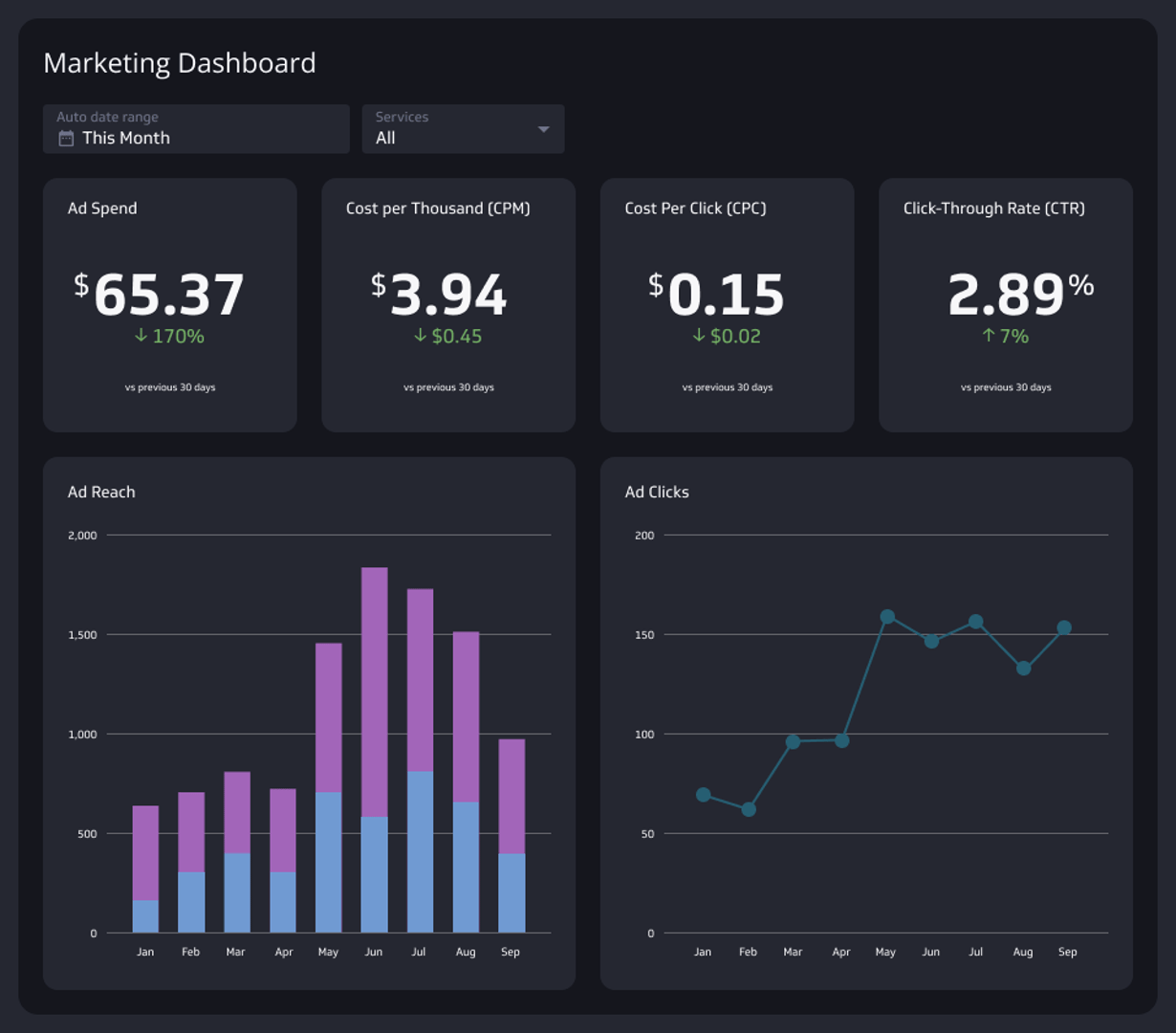
Marketing dashboards provide real-time data on campaign performance, letting you monitor click-through rates, conversion rates, and ROI. They also track social media engagement — likes, shares, comments, and reach — across platforms, and surface SEO metrics like keyword rankings, organic traffic, and backlinks so you can improve your search visibility.
Sales dashboards
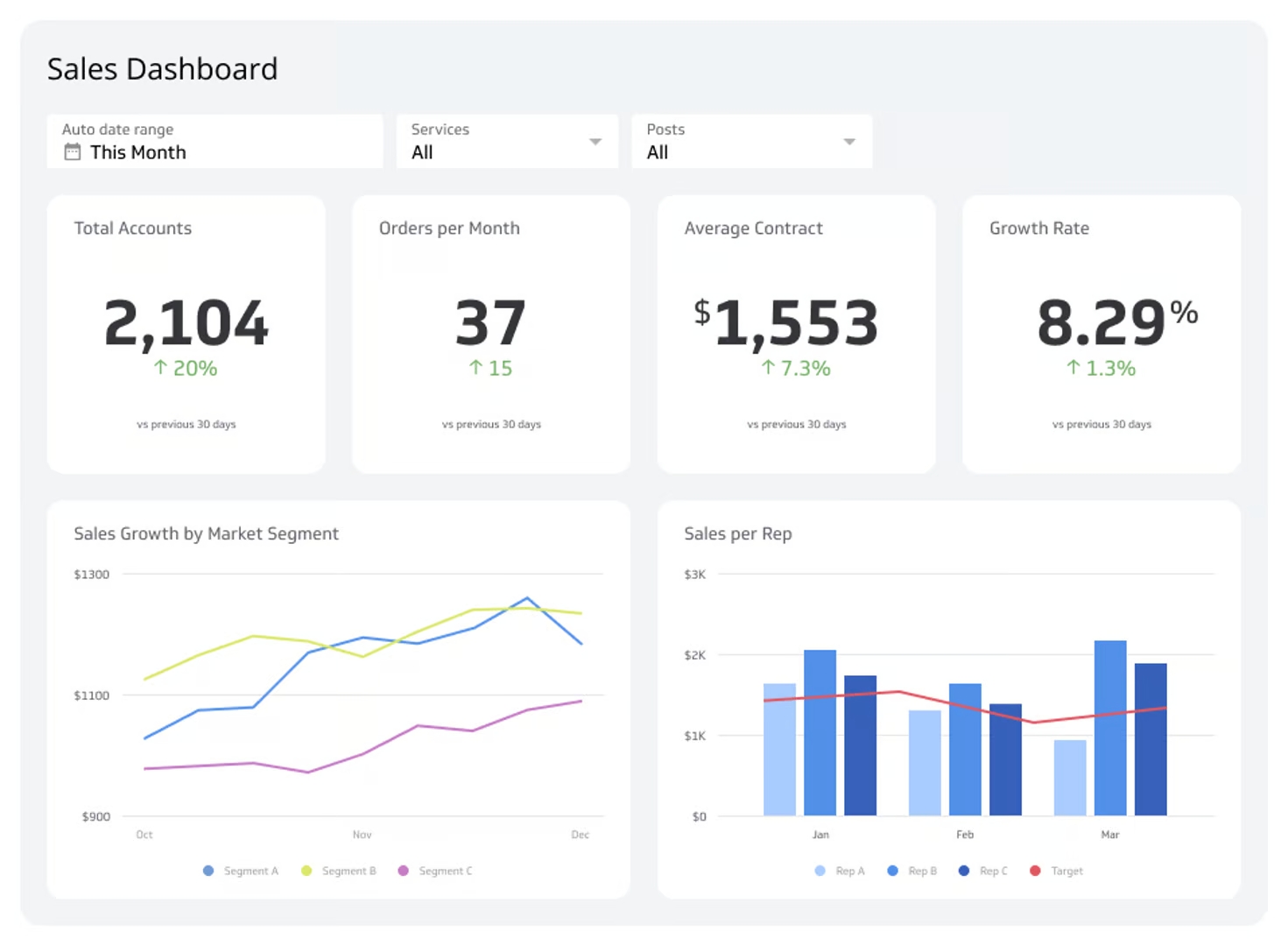
Sales dashboards give you a comprehensive view of your sales data — total sales, sales by product, and sales by region. You can also track lead conversion rates and visualize your pipeline from initial contact to closed deals, helping you identify bottlenecks and keep your team on track to meet targets.
Financial performance dashboards
Financial performance dashboards keep you informed of your company's revenue streams, expenses, and financial health indicators like profit margins, cash flow, and debt levels. By monitoring these metrics together, you can identify cost-saving opportunities and assess financial stability before risks escalate.
Executive dashboards
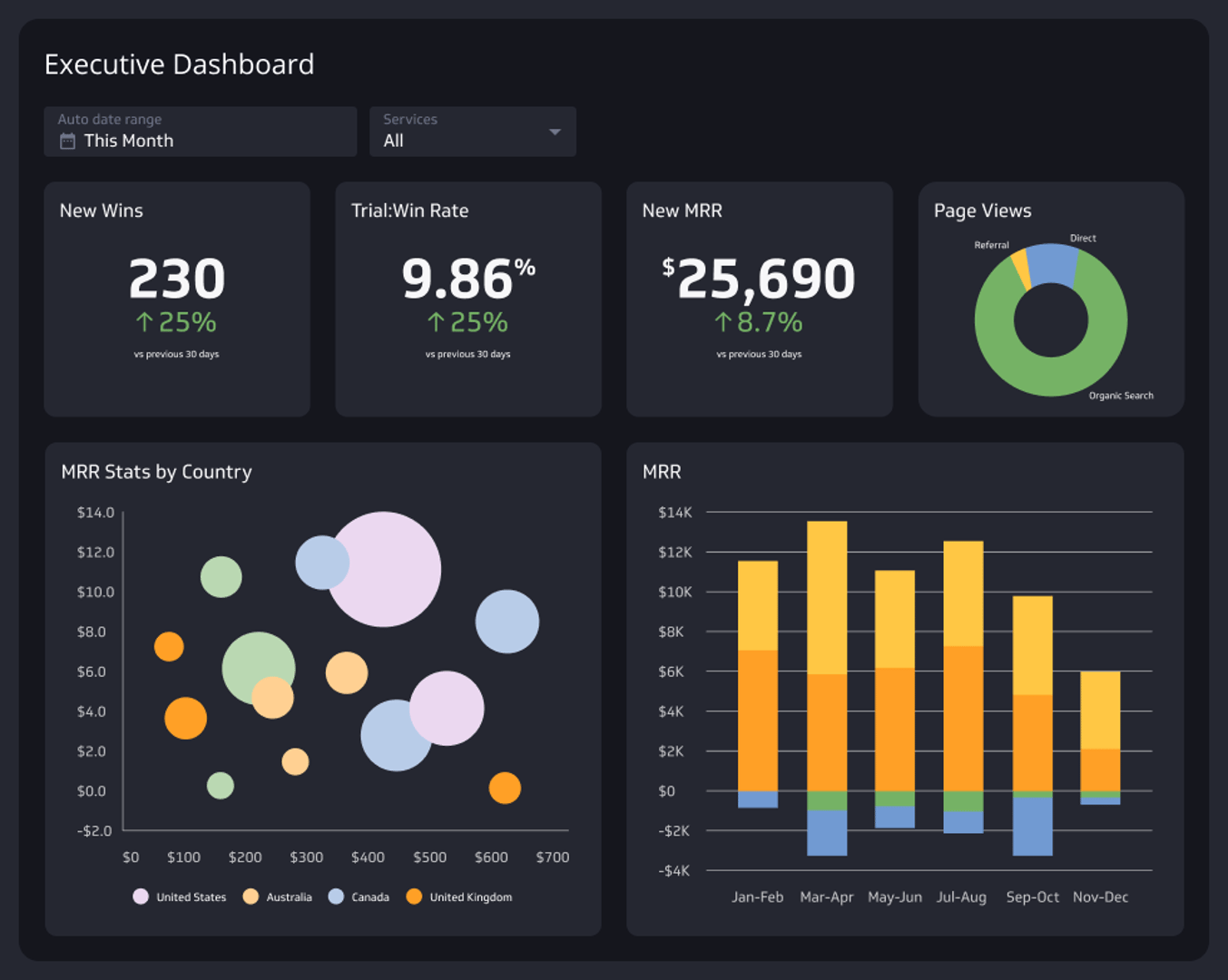
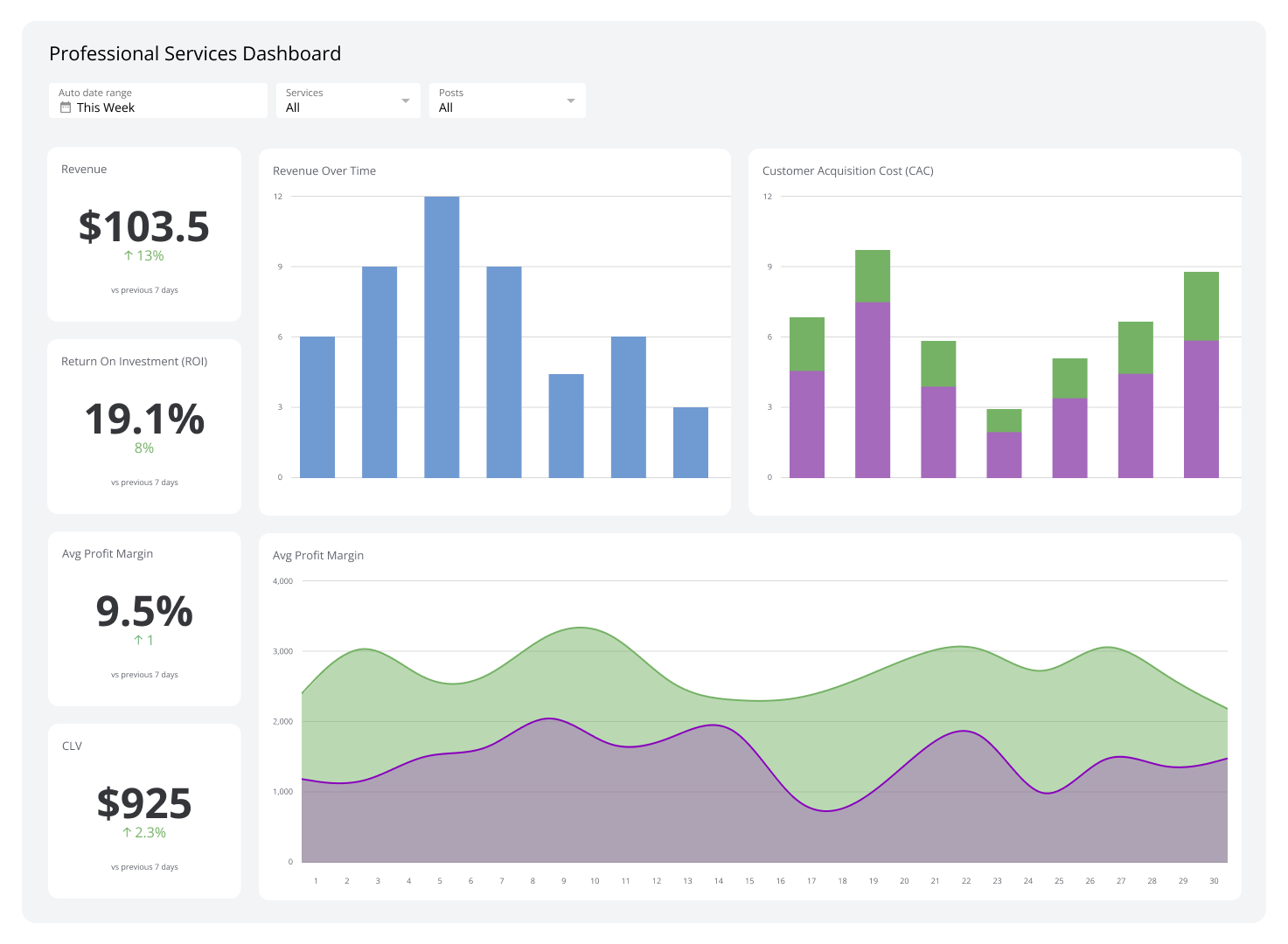
Executive dashboards compile data from finance, sales, marketing, and support into a single platform. Effective executive dashboards include metrics like gross profit margin, EBITDA, revenue, opportunity pipeline, ticket volume, and average resolution time — giving leaders a clear picture of how the company is performing across all areas.
Klipfolio Klips can help you connect to various data sources, create dynamic visualizations, and deliver real-time updates so your executive team always has the most current information available.
SaaS dashboards
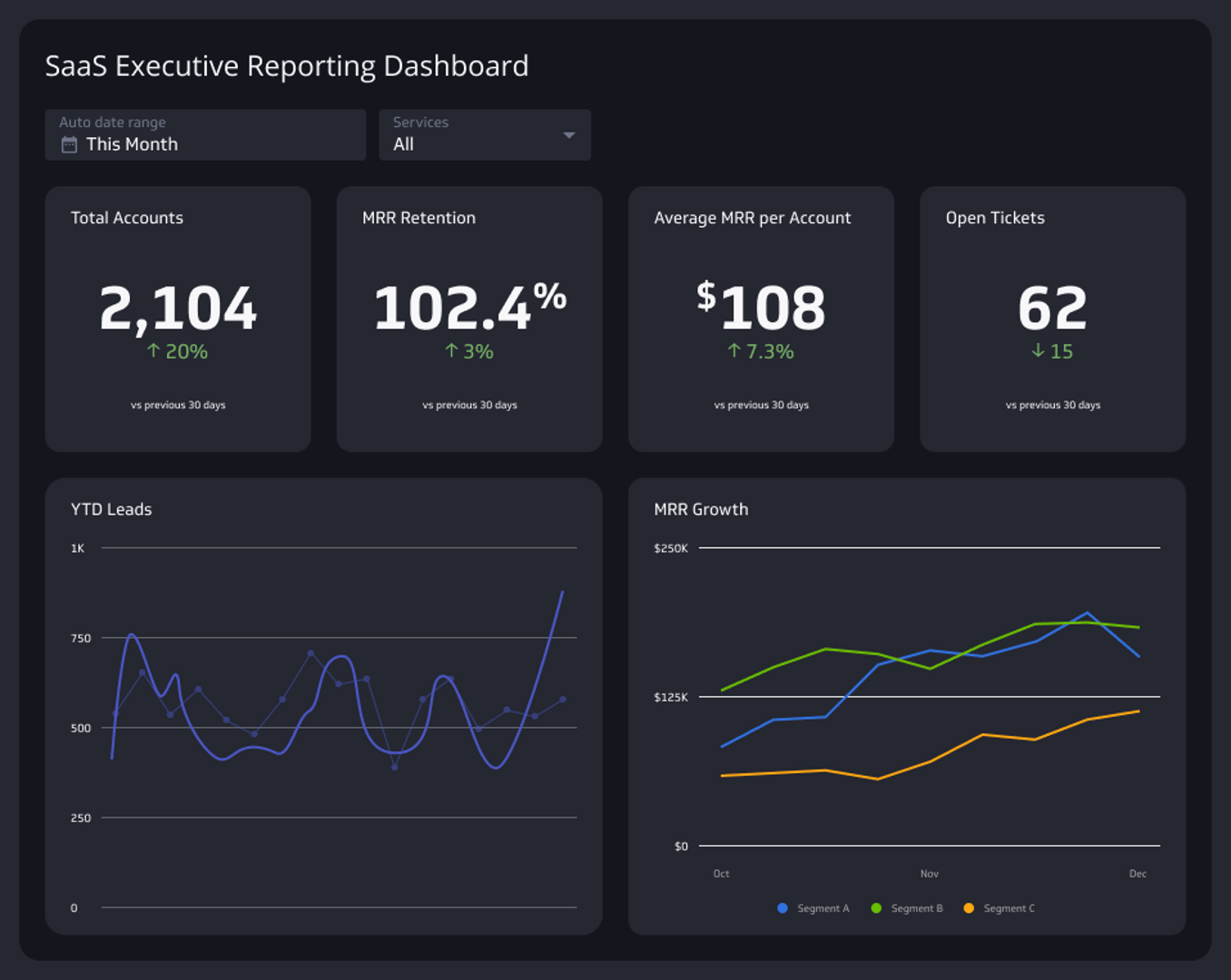
If you run a software company, a SaaS dashboard tracks vital metrics such as Monthly Recurring Revenue (MRR), Customer Acquisition Cost (CAC), churn rate, and customer lifetime value (CLTV). Each team can monitor the metrics most relevant to their role — sales tracks MRR and new customer acquisition, while customer success focuses on churn and satisfaction scores.
Social media dashboards
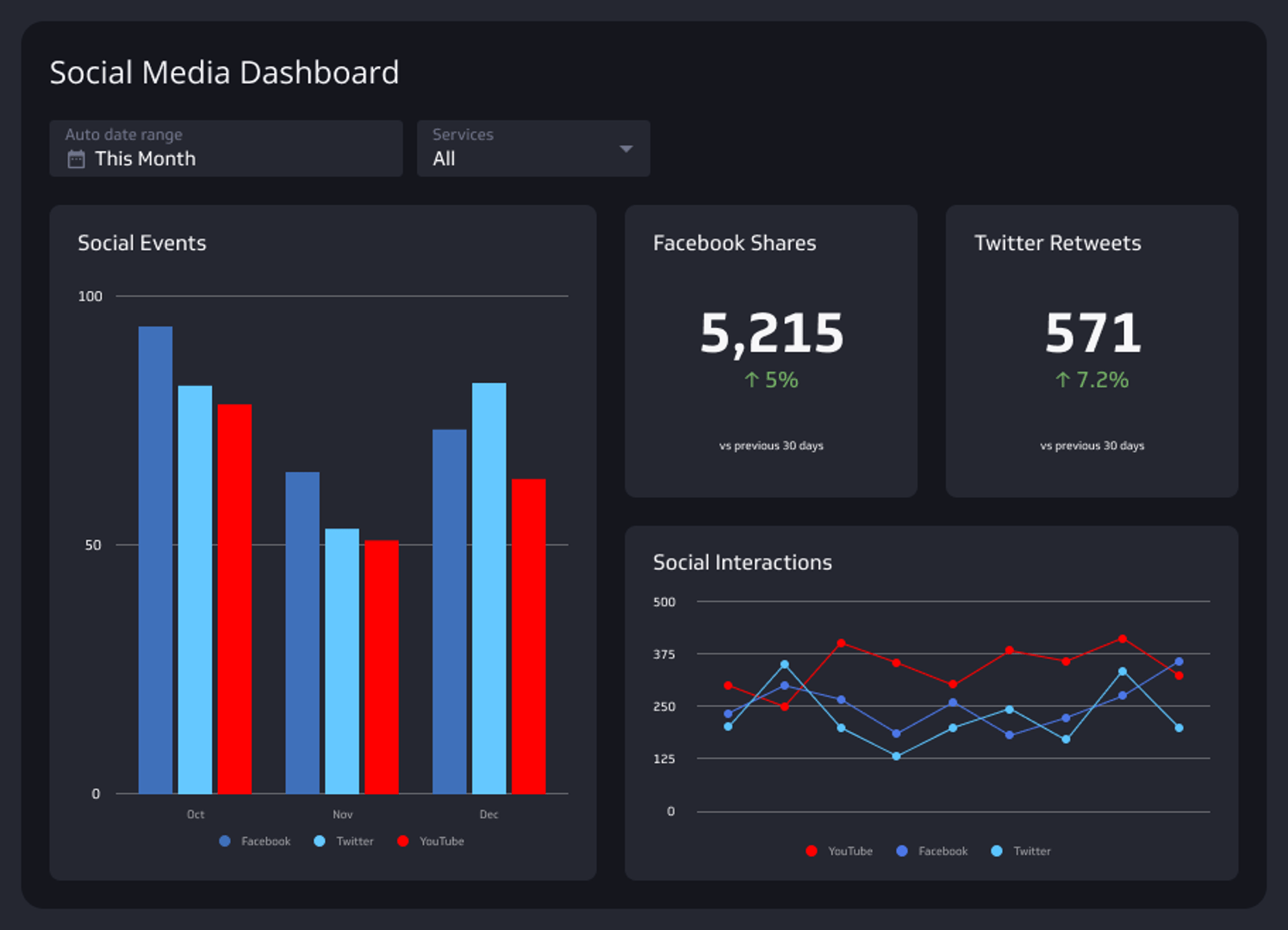
Social media dashboards help you track campaigns across platforms like Facebook, X, Instagram, and YouTube. They display key metrics — followers, engagement, reach, impressions, likes, comments, shares, and video watch time — in a single view, so you can understand your audience and refine your strategy for maximum impact.
Supply chain dashboards
Supply chain dashboards provide real-time visibility into inventory levels, order fulfillment rates, shipment tracking, and supplier performance. By consolidating this data in one place, supply chain managers can improve efficiency, reduce costs, and ensure timely delivery of products.
Customer support dashboards
Customer support dashboards track ticket volume, response times, resolution rates, customer satisfaction scores, and agent performance. Monitoring these metrics in real time helps you identify periods of high demand, allocate resources effectively, and pinpoint areas where additional training may be needed.
How to build an effective digital dashboard
Identify key metrics and KPIs
Start by identifying the metrics and KPIs that matter most for your goals. If you're focused on sales, consider revenue, lead conversion rates, and average deal size. You can select and track these essential KPIs with Klipfolio Klips, which includes a comprehensive metric catalog to help you manage and govern your data.
Connect to your data sources
Connect your dashboard to your data sources so it always displays current, relevant information. Klipfolio Klips supports integration with many data sources, including Google Analytics, Salesforce, and SQL databases. Robust API connectivity makes it easy to automate data updates and keep your dashboard current.
Clean your data for accuracy and relevance
Accurate data is the foundation of reliable insights. Before your data feeds into your dashboard, remove duplicates, correct errors, and standardize formats. Klipfolio Klips offers data transformation features — including formula application, type conversion, and validation rules — to help you clean and prepare your data.
Customize your dashboard for specific business needs
Choose visualizations that best represent your data. Use bar charts for comparing performance over time, or pie charts to show distribution. Klipfolio Klips lets you create custom themes and styles so your dashboards are both functional and aligned with your brand identity.
Incorporate interactive elements
Add interactive elements like drop-down menus, filter widgets, and date range selectors so users can explore data and gain deeper insights. Klipfolio Klips supports clickable charts and other interactive features that make dashboards more engaging and useful.
Maintain a simple and intuitive design
Display only the most essential information. Use clear labels, consistent colours, and a logical layout to make the dashboard easy to navigate. Klipfolio Klips offers customizable templates that help you design a clean, user-friendly experience without sacrificing functionality.
Confirm real-time data updates are working
Once your dashboard is set up, verify that it delivers real-time updates automatically. Klipfolio Klips supports automatic data refreshes and live data feeds from cloud services and on-premise databases. Confirm your dashboard reflects the latest data at the interval you've set before sharing it with your team.
Mistakes to avoid when creating a digital dashboard
Data dumping
Overloading your dashboard with too much information makes it cluttered and hard to read. When a dashboard is packed with complex visuals and excessive data points, users miss critical insights. Focus on the metrics that drive decisions, and leave the rest out.
Neglecting your users' specific needs
Different users have unique requirements. A one-size-fits-all dashboard may not meet everyone's needs, leading to underutilization. Identify the main users of each dashboard, gather their input, and customize accordingly. Klipfolio Klips lets you create multiple views and filters so each user accesses the data most relevant to their role.
Lacking clear goals and KPIs
A dashboard without clear goals leads to confusion. Set measurable objectives that align with your business strategy, then use those to identify the most important KPIs. Review and update your dashboard regularly as your business objectives evolve.
Forgetting to maintain data accuracy
Inaccurate data leads to incorrect conclusions. Review and update your data sources regularly, implement automated quality checks, and encourage your team to flag discrepancies. Klipfolio Klips provides reliable data integration features to help you maintain data quality over time.
Build your digital dashboard with Klipfolio
Digital dashboards are essential tools for any business that wants to stay on top of performance and make confident, data-driven decisions. By consolidating data from multiple sources into a single, real-time view, they improve efficiency, alignment, and growth.
Ready to bring all your business data into one place? Klipfolio Klips gives you the connectivity, customization, and distribution tools to build dashboards that work for every team — no credit card required.
At a glance
Focus Area
Dashboard education, KPI monitoring, data visualization, business performance tracking
Metrics List
Revenue, conversion rates, MRR, CAC, churn rate, ticket volume, response times, profit margins, lead conversion rates, order fulfillment rates
Reference Rate
Real-time to 24-hour refresh rates depending on data source and dashboard type
Related Dashboards
View all dashboards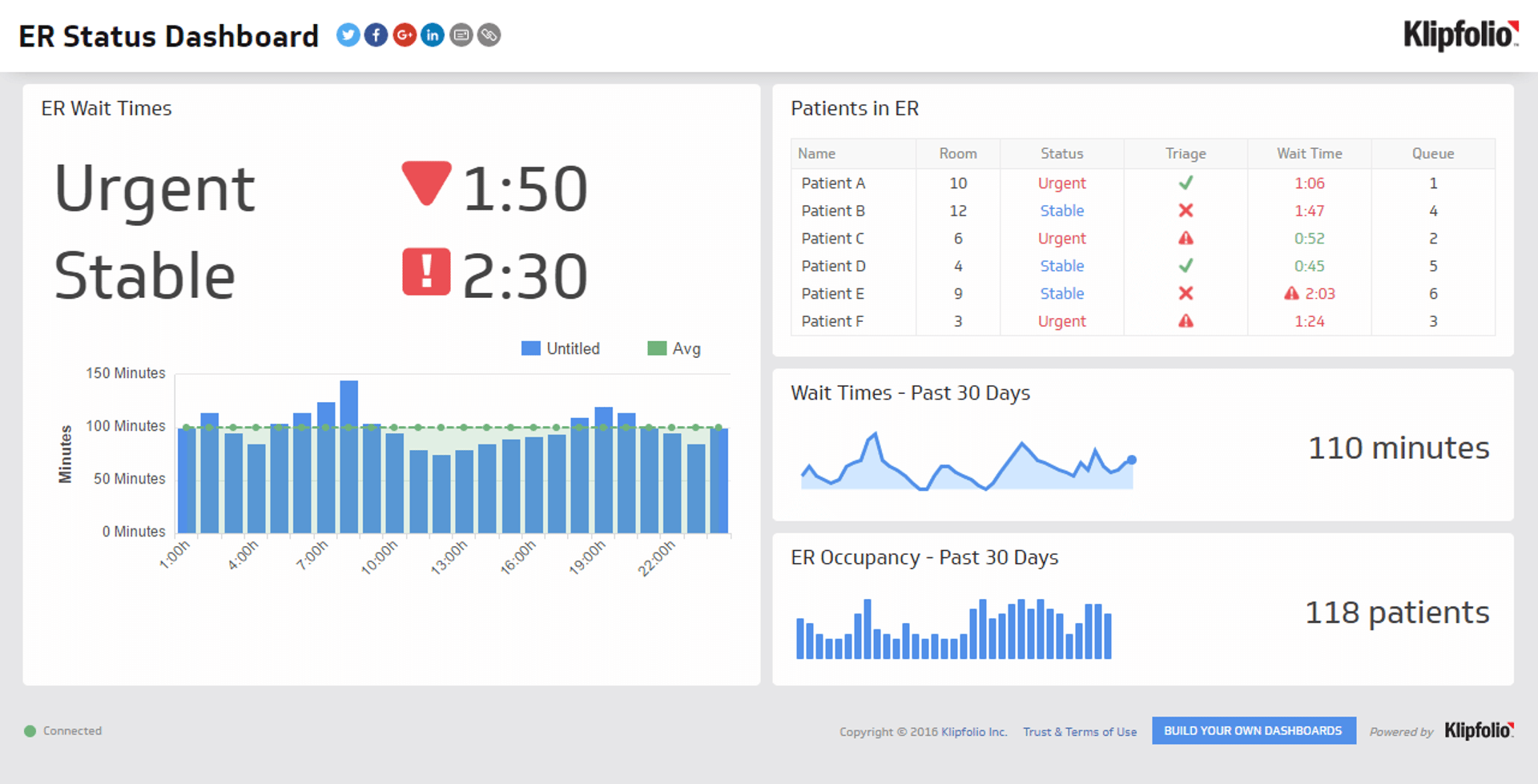
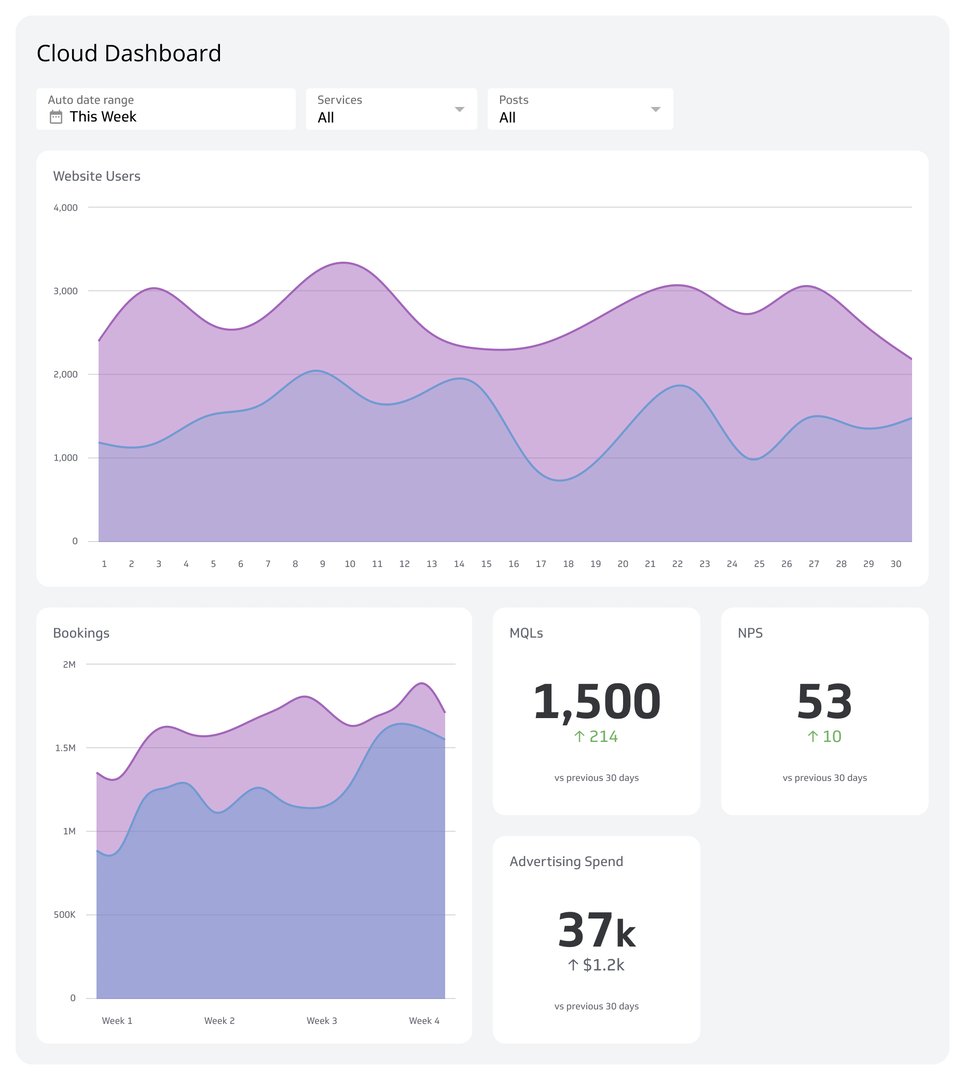
Key features of digital dashboards
Real-time updates, interactive visualizations, and customizable metrics and KPIs are the top three key features of digital dashboards.
Let’s take a closer look at each one.
Real-time data updates
One of the most important features of digital dashboards is real-time data updates. With real-time data, you can monitor your business's performance, which allows you to respond quickly to changes and make informed decisions based on the latest information.
Interactive visualizations
Another key characteristic of digital dashboards is that they provide interactive visualizations. They’re different from traditional reports, which merely present static information.
Digital dashboards engage users with interactive visualizations, such as clickable charts and graphs. These make it easier to explore and understand data.
Visualizations can come in the form of charts, graphs, and maps that you can interact with to drill down into specific data points. For example, you can click on a segment of a pie chart to see more detailed information or hover over a data point on a line graph to view the exact values.
Customizable metrics and KPIs
Lastly, digital dashboards allow you to customize the metrics and Key Performance Indicators (KPIs) that are most relevant to your business. As such, you can choose which data points to track and how they are displayed on the dashboard.
With this level of customization, you can be sure that your digital dashboard focuses on the information that matters most to you.
For instance, if your main goal is to increase sales, you can set up your dashboard to highlight metrics related to sales performance, such as revenue, conversion rates, and customer acquisition costs.
Why use a digital dashboard?
As a BI tool, a digital dashboard helps you make data-driven decisions in real-time. It also helps with communication, collaboration, efficiency, and productivity. Here are three key reasons you should use a digital dashboard:
Make data-driven decisions
Using digital dashboards improves your decision-making process through real-time insights and data analysis. With up-to-the-minute information at your fingertips, you can make better decisions quickly. This helps you stay ahead in a competitive market and respond promptly.
Digital dashboards also allow for quick identification of trends and outliers. Through data visualization, you can spot patterns and deviations that might indicate opportunities or issues. This enables you to act swiftly and strategically so that your business remains agile and effective.
Keep your organization on the same page
Digital dashboards boost communication and collaboration by making it easier to share data across departments. When everyone has access to the same information, they can work together more efficiently towards common goals.
This transparency promotes a culture of accountability and alignment. It makes sure all team members are on the same page regarding key metrics and objectives.
Improve efficiency and productivity
Having a central location for your data visualization also increases efficiency and productivity. Instead of having to access multiple sources for information, you and your team can view all critical data in one place, saving time and reducing the complexity of data analysis.
Digital dashboards also lessen the time spent on generating reports because of automated data updates. This automation allows you to focus more on analyzing and acting on the data rather than just collecting it. Plus, it reduces manual errors.
Types of digital dashboards
Digital dashboards are flexible in that every department in an organization can use them. These can be categorized into four types:
Strategic dashboards
Strategic dashboards provide a quick overview of the organization’s long-term goals and KPIs. That’s why they’re useful for high-level management and executives.
These dashboards help you monitor progress toward your strategic objectives. Since they help you focus on crucial data points like revenue growth, market share, and overall company health, strategic dashboards give you the insights needed to steer your business toward its goals.
Operational dashboards
Operational dashboards are typically used by mid-level managers and team leaders to monitor daily activities and processes. These dashboards display real-time information about the current status of various operations.
As a result, these allow you to identify and address issues promptly. Operational dashboards typically track metrics such as production efficiency, order fulfillment, and customer service performance. With these dashboards, you can be sure that day-to-day operations run smoothly and efficiently.
Analytical dashboards
Analytical dashboards are perhaps the most detailed, digging deep into data and uncovering trends, patterns, and insights. They are often used by data analysts and professionals who need to perform detailed analysis.
These dashboards help you understand the underlying causes of performance trends and make data-driven decisions. For instance, you can explore correlations between variables or forecast future outcomes based on historical data.
Analytical dashboards can handle large volumes of data and complex queries, so you can get a comprehensive view of your business’s performance over time. Use them to analyze sales data, customer behavior, and market trends to make strategic adjustments.
Tactical dashboards
Tactical dashboards combine elements of strategic and operational dashboards. Middle management uses them to support tactical decision-making. These dashboards provide detailed data analysis to help you track progress toward specific short-term goals.
Tactical dashboards typically include metrics related to project management, departmental performance, and short-term campaigns. They allow you to monitor efficiency, evaluate outcomes, and adjust strategies as needed to achieve your objectives.
Examples of digital dashboards
As mentioned, every department in your organization can maximize digital dashboards for their decision-making. Here are eight digital dashboards you can use:
Marketing dashboards
Marketing dashboards provide real-time data on various marketing activities, allowing you to see how well your campaigns are performing. You can monitor key metrics like click-through rates, conversion rates, and return on investment (ROI) to assess the effectiveness of your marketing strategies.
Measuring social media engagement is another critical function of marketing digital dashboards. These dashboards help you track likes, shares, comments, and overall engagement across different social media platforms.
With this information, you can understand how your audience interacts with your content so you can tailor your social media strategy to increase engagement and reach.
SEO metrics and analysis are also crucial components of marketing digital dashboards. You can monitor key SEO indicators such as keyword rankings, organic traffic, and backlinks. With this data, you can optimize your website content and improve your search engine rankings to drive more organic traffic to your site.
Sales dashboards
Monitoring sales performance is the main purpose of sales dashboards. These dashboards provide a comprehensive view of your sales data, including total sales, sales by product, and sales by region.
As you keep track of these metrics, you can evaluate your sales team's performance and identify areas for improvement. This helps keep your sales strategies effective and aligned with your business goals.
Lead conversion rates are also an important metric to monitor through sales dashboards. You can track metrics like the number of leads generated, the percentage of leads converted, and the time it takes to convert a lead. Knowing how well your sales team converts leads into customers lets you continuously improve your sales processes and strategies.
Additionally, a sales dashboard provides you with a visual of your sales pipeline, from initial contact to closed deals. This way, you understand where each lead is in the sales process and identify any bottlenecks. It’s also helpful in knowing whether your team is on track to meet their targets.
Financial performance dashboards
Revenue tracking is fundamental for businesses. Financial performance dashboards keep you in the loop of your company’s revenue streams, including sales and other income sources like investments.
Expense monitoring is another aspect to consider. With financial performance dashboards, you can track operational costs, salaries, and other expenses. By keeping a close eye on your expenses, you can identify areas where you can cut costs and improve efficiency.
Other financial health indicators displayed on financial digital dashboards include metrics like profit margins, cash flow, and debt levels. As such, you can assess your company's financial stability and identify potential risks early.
Executive dashboards
Executive dashboards are essential tools for corporate leaders by compiling data from various departments, such as finance, sales, marketing, and support, into a single, accessible platform. By having a central location for critical data, executive dashboards allow business owners like you to uphold strategic initiatives and achieve your business goals.
An effective executive digital dashboard should include metrics like gross profit margin, EBITDA, revenue, opportunity pipeline, ticket volume, and average resolution time. These metrics give executives a clear picture of how the company is performing across different areas.
For instance, tracking sales performance through revenue and opportunity pipeline metrics helps in understanding market trends and sales team efficiency. Similarly, monitoring support metrics like ticket volume and resolution time ensures customer satisfaction and service efficiency.
To build a successful executive digital dashboard, start by asking your executive team’s specific needs. Identify the key metrics that matter most to your business objectives, then use customizable visualizations to present this data clearly.
Klipfolio Klips can help you connect to various data sources, create dynamic visualizations, and provide real-time updates so your executive team always has the most current and relevant information at their fingertips.
SaaS dashboards
If you run a software company, you need a SaaS dashboard to track vital metrics such as Monthly Recurring Revenue (MRR), Customer Acquisition Cost (CAC), churn rate, and customer lifetime value (CLTV). This way, you can make data-driven decisions to optimize marketing efforts and improve overall profitability.
With an effective SaaS digital dashboard from Klips, you can meet the unique needs of your teams. For example, the sales team can track metrics like MRR and new customer acquisition, while the customer success team focuses on churn rate and customer satisfaction scores. This level of detail allows each team to monitor their performance and adjust strategies accordingly.
Social media dashboards
These days, your presence and performance on social media is an important metric to monitor. Social media dashboards help you track your campaigns across platforms like Facebook, X or Twitter, Instagram, and YouTube.
These dashboards display key metrics such as followers, engagement, reach, impressions, likes, comments, shares, and video watch time in a single view. With this, you can understand your audience better and refine your social media strategies for maximum impact.
Aside from tracking followers, it’s more important to monitor engagement metrics, such as likes, comments, and shares, to help you gauge the effectiveness of your content.
Additionally, monitoring reach and impressions provides insights into the visibility of your posts so you know what type of content works.
Supply chain dashboards
Supply chain dashboards provide real-time visibility into key metrics such as inventory levels, order fulfillment rates, shipment tracking, and supplier performance. Since this tool consolidates the data into a single dashboard, supply chain managers can improve efficiency, reduce costs, and ensure timely delivery of products.
An effective supply chain digital dashboard should include metrics that cover all aspects of the supply chain, from procurement to delivery. For instance, tracking inventory turnover rates can help you optimize stock levels while monitoring order fulfillment rates to ensure that customer orders are processed efficiently.
Additionally, keeping an eye on shipment tracking and supplier performance helps you identify and address potential bottlenecks in the supply chain.
Customer support dashboards
Customer support dashboards are essential for delighting customers. These dashboards track key metrics such as ticket volume, response times, resolution rates, customer satisfaction scores, and agent performance.
By providing a real-time overview of these metrics, support dashboards help businesses identify areas for improvement and optimize their workflows.
An effective customer support digital dashboard should display metrics that directly impact customer experience. For example, monitoring ticket volume and response times can help you identify periods of high demand and allocate resources accordingly.
Tracking resolution rates and customer satisfaction scores provide insights into the effectiveness of your support team and highlights areas where additional training may be needed.
How to make an effective digital dashboard
Now, it’s time to create a digital dashboard. Here are seven steps to do so:
Identify key metrics and KPIs
To create an effective digital dashboard, start by identifying the key metrics and KPIs that matter most for tracking your goals. For instance, if you're focusing on sales, consider metrics like revenue, lead conversion rates, and average deal size. You can easily select and track these essential KPIs with Klipfolio Klips.
We have a comprehensive metric catalog that helps you manage and organize your key metrics. Our platform allows your data team to control access and manage data governance, keeping the metrics used in your digital dashboards reliable and consistent.
Connect to your data sources
Next, connect your digital dashboard to your data sources. This way, your display will have the most current and relevant information. Klipfolio Klips supports integration with many data sources, including Google Analytics, Salesforce, and SQL databases.
This flexibility allows you to pull in data from various platforms into your digital dashboards. Our platform also provides robust API connectivity. As a result, it becomes easier to automate data updates and make sure your dashboard is always up-to-date with the latest information.
Clean your data for accuracy and relevance
A crucial step to remember is to guarantee that the data feeding into your digital dashboard is accurate and relevant. You should clean your data by removing duplicates, correcting errors, and standardizing formats.
This step is critical for maintaining the integrity of your reports and insights. Klipfolio Klips offers powerful data transformation features that help you clean and prepare your data before using it in your digital dashboards.
You can apply formulas and functions to clean and prepare your data, such as trimming whitespace, converting data types, or applying mathematical operations. This helps standardize and normalize your data for consistency.
Plus, Klips helps you identify and remove duplicate records from your data sets and enables you to set rules for data validation. This functionality makes sure your digital dashboard remains a dependable source of insights.
Customize your dashboard for specific business needs
Customize your digital dashboard to fit the specific needs of your business and choose the right visualizations that best represent your data.
For example, use bar charts for comparing sales performance over time or pie charts to show market share distribution. You can customize the look and feel of your digital dashboards to match your business needs. Our platform also allows you to create custom themes and styles, making sure that your dashboards aren’t just functional but also visually appealing and aligned with your brand identity.
Incorporate interactive elements
Incorporate interactive elements into your digital dashboard to enhance user engagement. This means allowing users to filter and drill down into data for more detailed insights.
With Klipfolio Klips, you can add interactive elements like drop-down menus and clickable charts. Additional features like filter widgets and date range selectors allow users to interact with the data and gain deeper insights.
Maintain a simple and intuitive dashboard design
Remember to keep your digital dashboard design simple and intuitive. Avoid clutter by displaying only the most essential information and visualizations.
It also helps to use clear labels, consistent colors, and a logical layout to make the dashboard easy to navigate. Klipfolio Klips offers customizable templates that help you design a clean and user-friendly dashboard.
Our platform lets you rearrange layouts, choose color schemes, and apply consistent branding across your dashboards. This way, you keep your dashboard easy to use while being aesthetically pleasing.
Check if the dashboard delivers real-time data updates
Once you’ve set up your digital dashboard, test if it delivers real-time updates automatically. Klipfolio Klips supports real-time data connections through automatic data refreshes and live data feeds from sources like cloud services and on-premise databases.
Check whether your dashboard is working properly and displaying the latest data at the interval you set. By confirming that your dashboard reflects the most recent data, you can confidently rely on it to monitor performance and track progress effectively.
Mistakes to avoid when creating a digital dashboard
As you create your digital dashboard with Klipfolio, you should be aware of the common mistakes most people fall for, such as:
Data dumping
Overloading your digital dashboard with too much information can make it cluttered and difficult to read. When a dashboard is packed with complex visuals and excessive data points, users can become overwhelmed and miss critical insights. This can lead to poor decision-making and decreased efficiency.
Neglecting your users’ specific needs
Ignoring user needs when creating your digital dashboard can result in a useless tool that fails to provide value. Note that different users within your organization have unique requirements. A one-size-fits-all dashboard may not meet everyone's needs, leading to dissatisfaction and underutilization.
Identify the main users of a particular dashboard and gather their input. Then, customize it, making sure it provides relevant information for them. Klipfolio Klips even lets you create multiple views and filters so that users can access the data most useful for their roles.
This customization enhances user experience by having your dashboard deliver actionable insights to all stakeholders.
Lacking clear goals and KPIs
Creating a digital dashboard without clear goals and KPIs can lead to confusion and lack of direction. As such, set clear and measurable goals that align with your business objectives. Use these goals to identify the most important KPIs for your dashboard.
With Klipfolio Klips, you can track and visualize these KPIs effectively. Update your dashboard regularly to keep up with changes in your business objectives so that it remains a valuable tool for decision-making and performance tracking.
Forgetting to maintain data accuracy
Accurate data is the foundation for reliable decision-making. Failing to uphold data quality can lead to incorrect conclusions and misinformed choices.
Make sure you review and update your data sources so that your dashboard displays trustworthy information.
Use Klips for reliable data integration features that help you maintain the quality of your data. You should also implement automated data quality checks and encourage your team to report any discrepancies they notice.
Unlocking insights with digital dashboards
Digital dashboards are must-have tools for modern businesses. By consolidating data from different sources into a single display, these tools allow you to stay on top of business performance and boost efficiency, productivity, and growth.
Ready to propel your business forward with powerful, real-time insights? With reliable data integration, dynamic visualizations, and real-time updates, Klipfolio empowers you to make data-driven decisions with confidence.
