Management Dashboard
A management dashboard gives managers a real-time view of performance across sales, HR, finance, and more — all in one place.
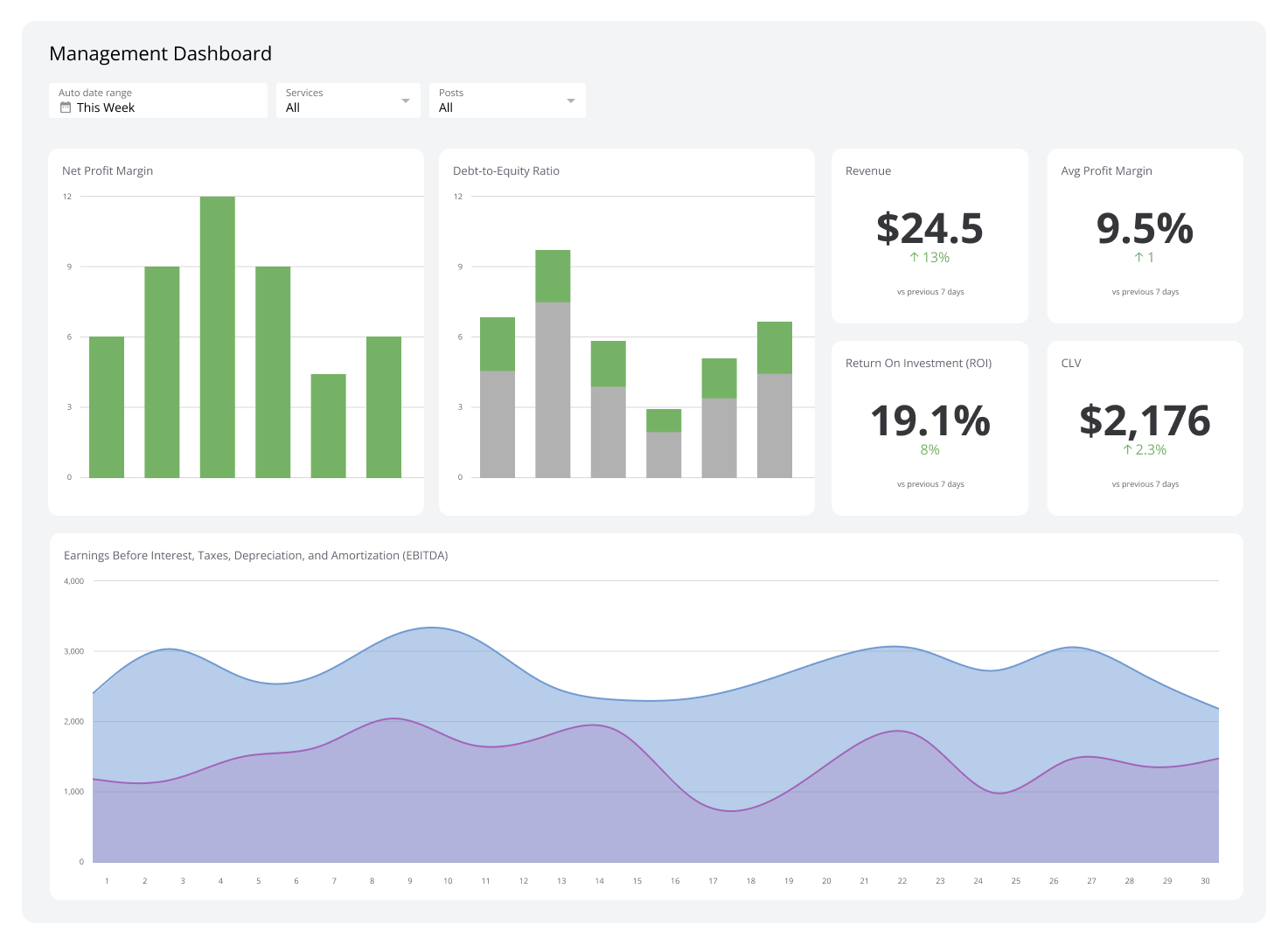
Managers occupy a unique position: they're responsible for day-to-day operations and people leadership at the same time. That dual role is the biggest challenge 68% of managers face. A management dashboard helps by bringing the most important information together in one place, so managers can act quickly instead of chasing data across systems.
Let's explore what a management dashboard is, why it matters, which metrics to track, and how to build one that works.
What is a management dashboard?
A management dashboard is a visual reporting tool that pulls data from multiple sources into a single view, displaying key metrics through charts and graphs so managers can monitor performance in real time.
Rather than combing through separate reports or spreadsheets, managers get a clear snapshot of what's happening across sales, operations, HR, finance, and more — all in one place.
Why use a management dashboard?
Management dashboards replace scattered reports with a single, real-time view of performance. Here are five reasons to use one.
Save time
Instead of pulling data from multiple systems, managers see everything they need on one screen. A quick look at the dashboard replaces hours of manual reporting.
Tools like Klipfolio Klips connect to spreadsheets, databases, CRMs, and 100+ other data sources, then display the results in a clean, customizable dashboard — no manual data wrangling required.
Understand data at a glance
Dashboards turn raw numbers into simple visuals: line charts, bar graphs, and scorecards that communicate trends instantly. A sales manager, for example, can see whether revenue is trending up or down without opening a single spreadsheet. That clarity keeps teams proactive rather than reactive.
Monitor performance in real time
Real-time updates mean managers see problems as they develop, not after the fact. If a project falls behind schedule or a support queue spikes, the dashboard surfaces it immediately — giving managers time to act before small issues become big ones.
Improve accountability
When individual performance metrics are visible, everyone understands where they stand. If a team member's output is below target, the data prompts a timely, evidence-based conversation rather than a vague review.
Managers also account for 70% of the variance in employee engagement. Accurate dashboard data helps managers give meaningful feedback — and a highly engaged workforce can boost profits by 22%.
Make better decisions
With accurate, up-to-date data in one place, managers can spot trends, identify problems, and act with confidence. If sales data shows a decline in a particular product line, managers can investigate and respond quickly rather than waiting for a monthly report to surface the issue.
Key management metrics for different departments
A management dashboard becomes far more effective when it tracks the right metrics. Here are the key ones to consider by department.
Sales metrics
Sales metrics give managers a clear picture of revenue performance and customer retention.
Revenue: Tracks income generated from sales activities and signals overall business health.
Churn rate: High churn rate signals customer dissatisfaction. Monitoring it helps managers investigate root causes and improve retention before the problem compounds.
Marketing metrics
Marketing managers need to know whether campaigns are generating quality leads and engaging the right audience.
Marketing Qualified Leads (MQLs): MQLs show how many leads are likely to convert. Tracking this metric helps managers adjust campaigns to maintain a steady pipeline of high-quality prospects.
Customer engagement rate: High engagement rates confirm that content is resonating with the audience and driving meaningful interactions.
Email open and click-through rates: With 60% of consumers still preferring email contact, these metrics reveal whether campaigns are relevant and driving action.
Customer service metrics
Real-time visibility into support performance helps managers keep customers satisfied and identify process gaps.
Customer Satisfaction (CSAT): CSAT scores are a direct measure of service quality and a leading indicator of customer loyalty.
First response time: Slow first responses erode customer trust. Tracking this metric helps managers spot bottlenecks and improve support speed.
Escalation rate: A rising escalation rate signals that frontline agents may need additional training or resources to resolve issues independently.
Human Resources metrics
HR managers use dashboards to track the health of their workforce and the efficiency of their hiring process. Tracking an employee engagement dashboard alongside these metrics gives managers a fuller picture of workforce health.
Employee turnover rate: High turnover is disruptive and can cost 90–200% of an employee's annual salary. Monitoring employee turnover rate helps managers address retention problems early.
Time-to-hire: Time-to-hire measures how efficiently the recruitment process moves from posting to offer.
Cost-per-hire: Cost-per-hire helps HR managers evaluate whether recruiting investments are delivering value.
Financial metrics
Financial metrics matter to accounting managers and executives alike. Key metrics to track on executive dashboards include:
Gross and net profit margins: Gross profit margin and net profit margin show how efficiently the business converts revenue into profit.
Operating expenses ratio: Tracks cost management effectiveness and highlights areas where savings are possible.
Cash flow: Positive cash flow is essential for meeting obligations and funding growth. It's especially critical in capital-intensive industries.
IT and technology metrics
The IT department keeps operations running. Two metrics IT managers should monitor closely:
System uptime and downtime: Tracks reliability and helps managers reduce disruptions before they affect the broader business.
Incident response time: Measures how quickly the team resolves issues when downtime or technical failures occur.
Project management metrics
Project managers need a clear view of delivery performance across multiple workstreams.
Project completion time: Tracks whether projects are delivered on schedule.
Resource utilization: Shows whether team capacity is being used efficiently or whether workloads are unbalanced.
Risk management efficiency: Measures how well the team identifies and mitigates risks before they affect delivery.
Best practices for creating a management dashboard
Define a specific goal
Start by identifying what you want the dashboard to accomplish. Are you tracking sales performance, monitoring employee productivity, or overseeing project delivery? A clear goal determines which metrics belong on the dashboard and keeps it focused.
Know your audience
Different managers need different information. A sales manager sharing performance data with HR will want to surface conversion rates and individual contribution metrics — not pipeline totals. Tailor the dashboard to the person reading it.
Prioritize key information
Place the most important metrics where they're seen first. Use visual hierarchy — size, colour, and position — to draw attention to what matters most. If customer satisfaction is your primary focus, CSAT scores and response times should lead the view.
Add context and cross-functional data
Data is more useful with context. Showing sales figures alongside marketing spend, for example, helps explain why revenue moved in a particular direction. Cross-functional data gives managers a more complete picture of how departments interact and affect each other.
Use consistent formatting
Apply the same colours, fonts, and chart styles throughout the dashboard. Consistency reduces cognitive load and helps users absorb information faster.
Ensure data accuracy
Inaccurate data leads to poor decisions. Check your data sources regularly and confirm that automated connections are refreshing on schedule. A dashboard is only as reliable as the data feeding it.
What to avoid in management dashboards
Displaying too many metrics
Overloading a dashboard with metrics makes it harder, not easier, to find what matters. Focus on the metrics that directly support your goals and cut the rest. A focused dashboard is always more useful than a comprehensive one.
Fixating on granular detail
A management dashboard should provide a high-level view of performance, not a forensic breakdown of every data point. Save detailed analysis for dedicated reports. The dashboard's job is to surface trends and flag issues quickly.
Using complex visuals
Complicated charts slow comprehension. Bar charts, line graphs, and scorecards communicate most business data clearly and quickly. Avoid 3D charts or visuals that require interpretation — the goal is to make information accessible at a glance.
Build your management dashboard with Klips
Klipfolio Klips is built for managers who need a real-time view of performance without the manual work. Connect to 100+ data sources, build custom visualizations using Excel-like formulas, and share dashboards across your team with flexible distribution options — including TV mode, scheduled PDF reports, and public links.
At a glance
Focus Area
Performance monitoring, team accountability, and cross-departmental KPI tracking for managers.
Metrics List
Revenue, churn rate, MQLs, CSAT, employee turnover rate, time-to-hire, gross profit margin, system uptime, project completion time.
Reference Rate
Real-time to daily refresh depending on data source and department.
Related Dashboards
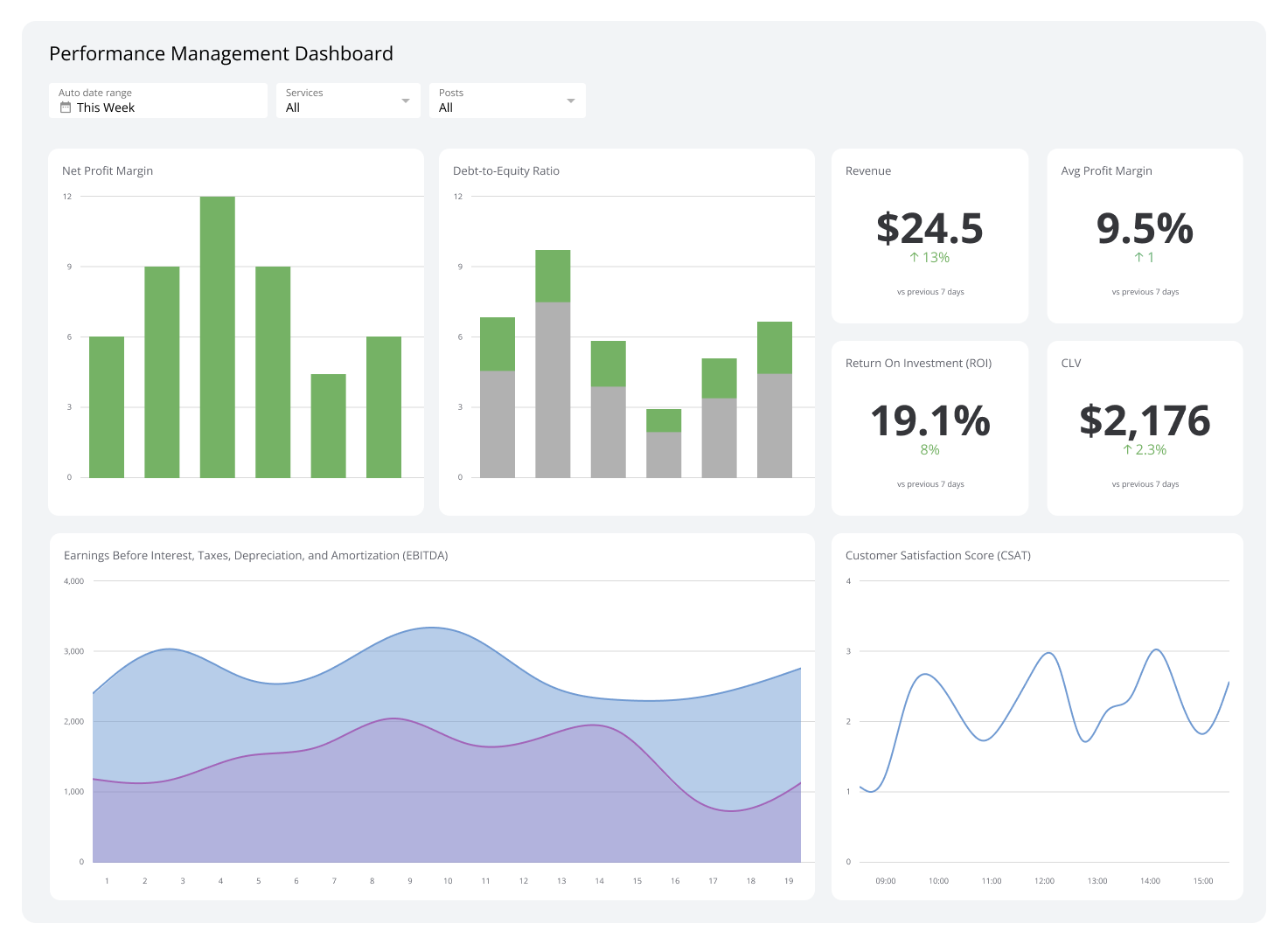
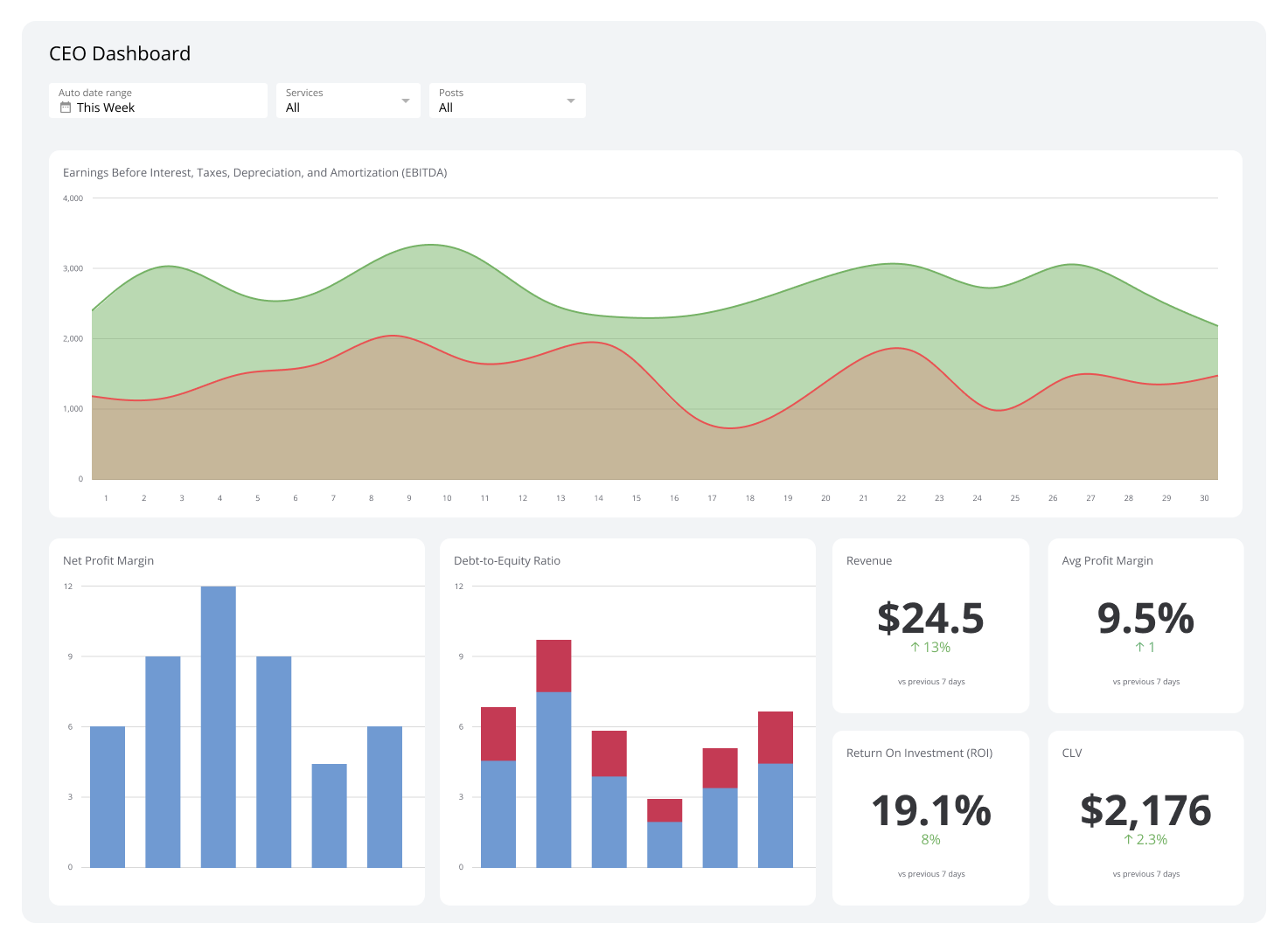
View all dashboards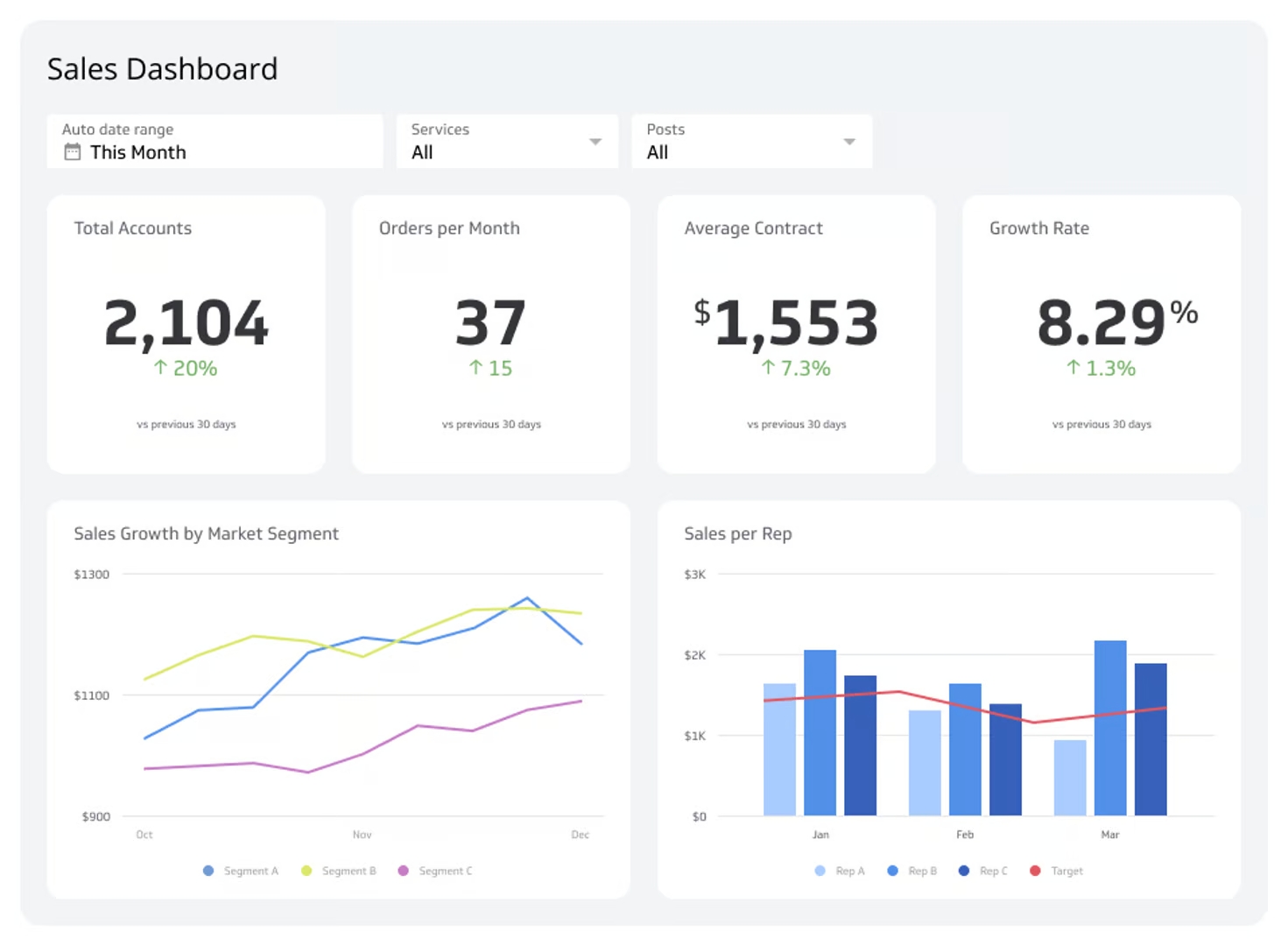
Key management metrics for different departments
A management dashboard will be even more effective with the right metrics. Here are the ones you should track depending on the department you’re handling:
Sales metrics
Sales metrics, such as revenue and churn rate, give a glimpse of how well your team is doing in bringing in and retaining customers. Tracking sales revenue on a management dashboard provides a clear view of the income generated from sales activities.
Meanwhile, keeping an eye on the churn rate allows managers to understand customer retention levels. High churn rates can signal dissatisfaction with the product or service, so you must investigate and address the underlying issues.
Marketing metrics
When it comes to marketing, managers need to know how effective their campaigns are. A marketing management dashboard should include these metrics:
Marketing Qualified Leads (MQLs)
Tracking MQLs shows how many leads are likely to convert to customers. With the data from your dashboard, you can create campaigns that guarantee a steady flow of high-quality MQLs.
Customer engagement rate
Customer engagement rate is another metric that marketing managers should track. It provides insights into how well marketing content resonates with the audience. High engagement rates indicate successful content strategies, which means your team is doing well in capturing audience interest and driving more meaningful interactions.
Email open and click-through rates
60% of consumers still prefer to be contacted via email. Tracking email open and click-through rates gives you an idea of whether your email marketing campaigns are relevant and engaging for your target audience.
Understanding how customers interact with emails helps in tailoring content to match their preferences and increase the likelihood of conversions. This data-driven approach makes sure that marketing efforts are focused on delivering value and driving business growth.
Customer service metrics
Real-time pivots are crucial in customer service. A management dashboard can help you monitor key metrics to make sure customers receive timely and satisfactory support. Here are the metrics you should track:
Customer Satisfaction (CSAT)
According to Michael LeBoeuf, an American business author, “A satisfied customer is the best business strategy of all.” Managers should track CSAT scores because it paves the way for customer retention and brand loyalty.
First response time
To keep customers satisfied each time, managers should monitor first response times. This metric helps managers identify bottlenecks in the support process and implement strategies to improve response times.
Escalation rate
The escalation rate shows managers how often issues need to be referred to higher levels of support. If you see a trend of having longer resolution times due to escalation, it indicates a need for additional training or resources at the frontline level.
Human Resources metrics
Human Resources (HR) encompasses multiple departments. HR managers can use a management dashboard to track key metrics related to employee engagement, recruitment, and retention.
Employee turnover rate is one of the most important HR management metrics to track since high turnover rates can be disruptive and costly by as much as 90-200% of a single employee’s annual salary. Monitoring this metric allows managers to address underlying problems and improve retention strategies.
Additionally, monitoring recruitment metrics such as time-to-hire and cost-per-hire helps in evaluating the efficiency of the hiring process. This way, HR managers can continue optimizing strategies for attracting and retaining top talent.
Financial metrics
Aside from accounting managers, financial metrics are also closely monitored by C-suite executives to guarantee the company's financial health and stability. Key financial metrics you can track on executive dashboards are:
Gross and net profit margins
Profitability metrics like gross profit margin and net profit margin determine how efficiently the company is generating profits. With insights from dashboard data, managers and executives can set realistic financial goals and implement strategies to optimize the company's financial performance.
Operating expenses ratio
Aside from monitoring profit, managers also have to check the operating expenses ratio to understand the business’ cost management efforts. This metric helps managers identify areas where cost-saving measures can be implemented.
Cash flow
Positive cash flow is essential for meeting obligations and investing in growth opportunities. Managers should monitor this metric to improve financial planning, especially for industries that require significant capital investments.
IT and technology metrics
The IT department plays a crucial role in operations because they’re responsible for maintaining and optimizing the company's technological infrastructure. Two key metrics IT managers should track are system uptime and downtime and incident response time.
Tracking system uptime and downtime helps managers implement measures to improve system reliability and reduce disruptions. Additionally, if ever IT issues and downtimes do occur, IT managers should make sure their team responds to these incidents quickly.
Project management metrics
Project managers have to stay on top of many metrics so that projects are completed on time and within budget. By using a management dashboard, project managers can monitor key metrics such as project completion time, resource utilization, and risk management efficiency.
Best practices for creating a management dashboard
A management dashboard should help you become a better leader. Here are the best practices to remember when creating one:
Have a specific goal in mind
Ask yourself what you want to achieve with your dashboard. Are you looking to track sales performance, monitor employee productivity, or oversee project progress? Having a specific goal helps you decide which metrics to include and keeps the dashboard focused on what matters most.
Know your target audience
If you’re sharing your dashboard with another manager or your boss, you need to tailor the display according to their needs and preferences. Different managers need different information.
Let’s say you’re a sales manager sharing insights to the HR manager about each of your team member’s performance. You’ll want to tailor the dashboard to show metrics related to conversion rates and customer acquisition for each person. This targeted approach makes sure the HR manager receives relevant insights that align with their responsibilities.
Prioritize key information
A good management dashboard should highlight the most important information first. Focus on key metrics that directly impact your goals and use visual hierarchy to emphasize them. For instance, if your goal is to improve customer satisfaction, place metrics like customer satisfaction scores and response times at the time and with a slightly bigger font than others.
Add context and cross-functional data
Adding context to your metrics can make the data more meaningful. For example, showing sales data alongside marketing spend can help explain trends. Cross-functional data provides a more complete picture of business performance. This approach helps managers see how different departments interact and impact each other.
Use consistent formatting
Use the same colors, fonts, and chart styles throughout the dashboard. This consistency helps users quickly grasp the information without having to reorient themselves with each new section.
Ensure data accuracy
Check and update your data sources to keep the information on your management dashboard current and correct. Inaccurate data can lead to poor decisions, so make sure your data is reliable.
What to avoid in management dashboards
Creating a useful management dashboard involves knowing what to avoid. Here are key things to keep in mind to keep your dashboard effective and easy to use:
Displaying too many metrics
Too much information can overwhelm users and make it hard to find important data. Focus on the key metrics that matter most to your business goals. For example, instead of showing every possible sales metric, highlight the ones that directly impact your sales targets. This keeps your dashboard clear and focused, allowing you to make sense of the data.
Fixating on the details
While it’s important to have accurate data, fixating on small details can be counterproductive. A management dashboard should provide a high-level view of progress and performance, not every single detail.
Managers need to see the big picture to make strategic decisions. Save the detailed data for deeper dives or separate reports. This way, your dashboard remains a tool for quick insights and overall trends.
Using complex visuals
Complex visuals can make your dashboard hard to understand. Use simple, clear charts and graphs to present your data. For instance, bar charts and line graphs are easy to read and can effectively show trends and comparisons. Avoid using 3D charts or overly complicated visual elements that might confuse users. The goal is to make the information accessible at a glance.
