Email Forwards Metric
Measure the number of times a piece of content was forwarded to another contact by one of your viewers.
Track all your Email Marketing KPIs in one place
Sign up for free and start making decisions for your business with confidence.
Overview
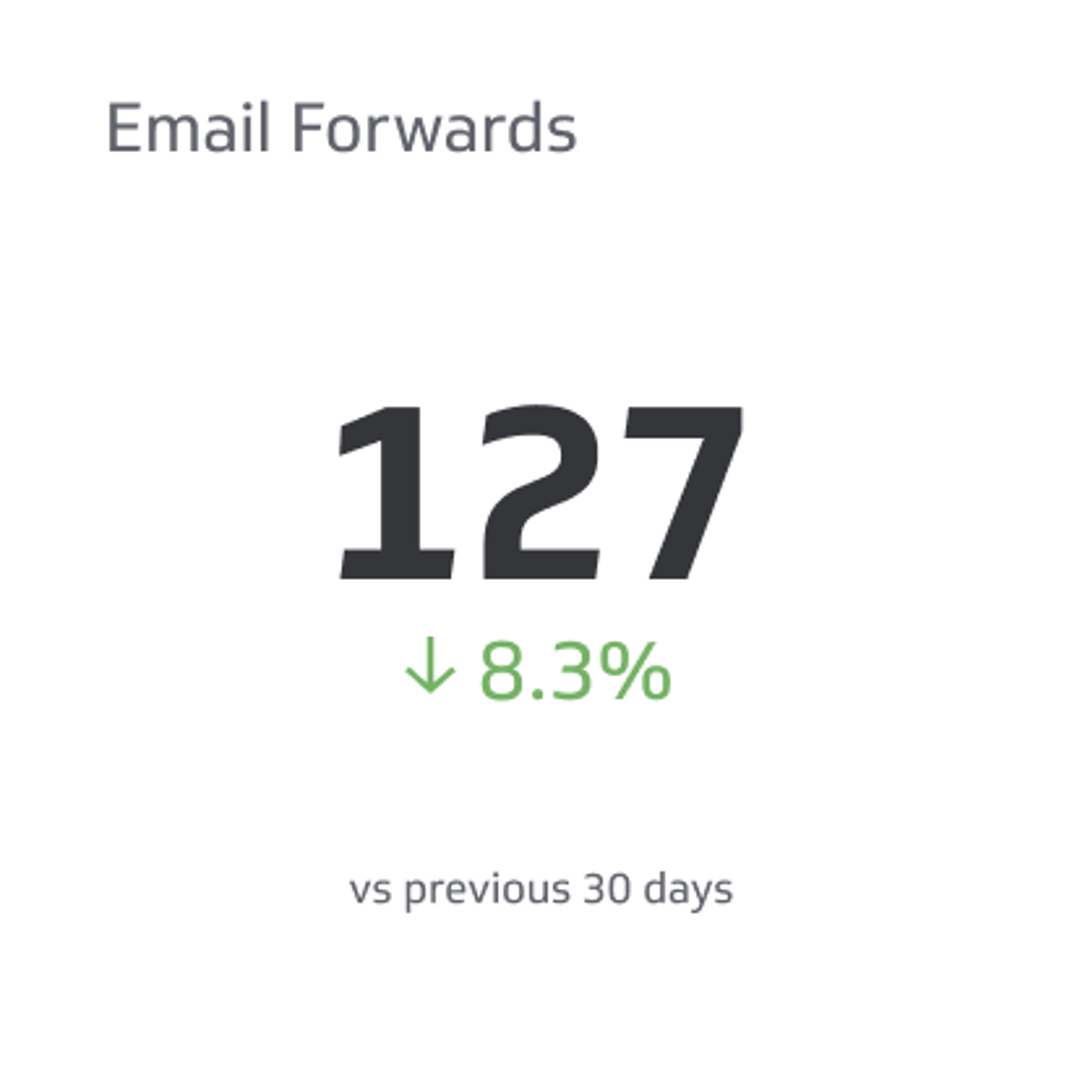
The Email Forwards metric measures how many times recipients share your email content with others. It reveals whether your message resonates strongly enough for people to pass it along—a powerful indicator of content value, relevance, and trust.
When subscribers forward your emails, they're endorsing your content to their own networks. This organic amplification extends your reach beyond your original list and signals that your message delivers real value. High forward rates often correlate with engaging, timely, or highly useful content that people want to share.
Why Email Forwards Matter
Email forwards serve as a third-party validation of your content quality. Unlike open rates or clicks, which measure individual engagement, forwards indicate that your message was compelling enough for someone to actively recommend it to another person. This is a strong engagement signal and can drive new subscribers to your list.
Forwards also provide insight into which topics, formats, and messages resonate most with your audience. By tracking this metric alongside other email KPIs, you can identify your most shareable content and double down on what works.
Formula
Email Forwards = Total number of times recipients forward your email to another contact
This count typically includes forwards tracked through your email service provider (ESP) or marketing automation platform. Some platforms distinguish between forwards to a single recipient and forwards to multiple recipients; clarify with your ESP how forwards are counted in your reporting.
How to Calculate Email Forwards
Most email marketing platforms automatically track forwards when enabled. To ensure accurate measurement:
- Enable forward tracking in your email service provider's settings.
- Use a unique tracking link or pixel in your email template so forwards are attributed to the original campaign.
- Segment forwards by campaign to identify which emails drive the most sharing.
- Compare forwards across time periods (week-over-week or month-over-month) to spot trends.
Reporting Frequency
Monthly is the standard reporting cadence for email forwards. This timeframe gives you enough data to identify patterns without waiting too long to act on insights. For high-volume campaigns, weekly reporting may be useful; for lower-volume lists, quarterly reviews may suffice.
Example KPI Target
A realistic target for email forwards depends on your industry, list size, and content type. A typical benchmark is 76 forwards per campaign for a mid-sized B2B or B2C list. However, your target should reflect your specific goals:
- Awareness campaigns may aim for higher forward rates to maximize reach.
- Conversion-focused campaigns may prioritize clicks over forwards.
- Thought leadership content often sees strong forward rates (5–15% of opens).
Audience
Marketing Manager — Email forwards are most relevant to marketing leaders who own campaign strategy, content creation, and audience growth. This metric helps them understand which messages drive organic amplification and which topics merit deeper investment.
Variations & Related Metrics
Forwards to a Friend
Some platforms track forwards specifically sent to a single contact, separate from forwards to multiple recipients. This variation helps you understand whether your content is being shared one-to-one (often more personal) or broadcast-style.
Forward Rate
Calculate this as a percentage: (Total Forwards / Total Emails Delivered) × 100. This normalizes forwards against your send volume, making it easier to compare campaigns of different sizes.
Social Shares vs. Email Forwards
Email forwards differ from social shares (LinkedIn, Twitter, etc.). While both indicate content value, email forwards suggest a more deliberate, personal recommendation—often a stronger endorsement than a public social post.
How to Improve Email Forwards
Create Shareable Content
Write emails that address timely problems, offer surprising insights, or provide genuinely useful resources. Content that solves a problem or teaches something new naturally invites sharing.
Make Forwarding Easy
Include a clear "Share this email" button or link. Some ESPs allow you to add a forward-to-friend feature directly in the template.
Segment by Content Type
Track which topics (industry news, how-to guides, case studies, research reports) generate the most forwards. Double down on formats and subjects that resonate.
Personalise and Localise
Highly relevant, personalised emails are more likely to be forwarded. Use segmentation and dynamic content to ensure each recipient sees information that matters to them.
Encourage Referrals
Include a subtle call-to-action that invites sharing: "Know someone who'd find this useful? Forward it along."
Tracking Email Forwards in Klipfolio
Use Klips to monitor email forwards alongside other email marketing metrics. Build a dashboard that displays:
- Total forwards by campaign or time period.
- Forward rate as a percentage of opens or deliveries.
- Top-performing emails by forward count.
- Trend analysis to spot seasonal patterns or content themes that drive sharing.
Centralise your email data from your ESP (HubSpot, Mailchimp, ConvertKit, etc.) and visualise forwards in real time. This helps your team quickly identify winning content and adjust strategy based on what actually resonates with your audience.
Key Takeaway
Email forwards are a genuine measure of content value and audience trust. By monitoring this metric and optimising for shareability, you'll amplify your reach, grow your subscriber base organically, and build a reputation as a source of genuinely useful information. Pair forwards with open rates, click rates, and conversion metrics to get a complete picture of email campaign performance.
Related Metrics & KPIs