Sales Performance Dashboard
A comprehensive guide to tracking the right metrics and driving revenue with powerful sales dashboards.
What is a sales performance dashboard?
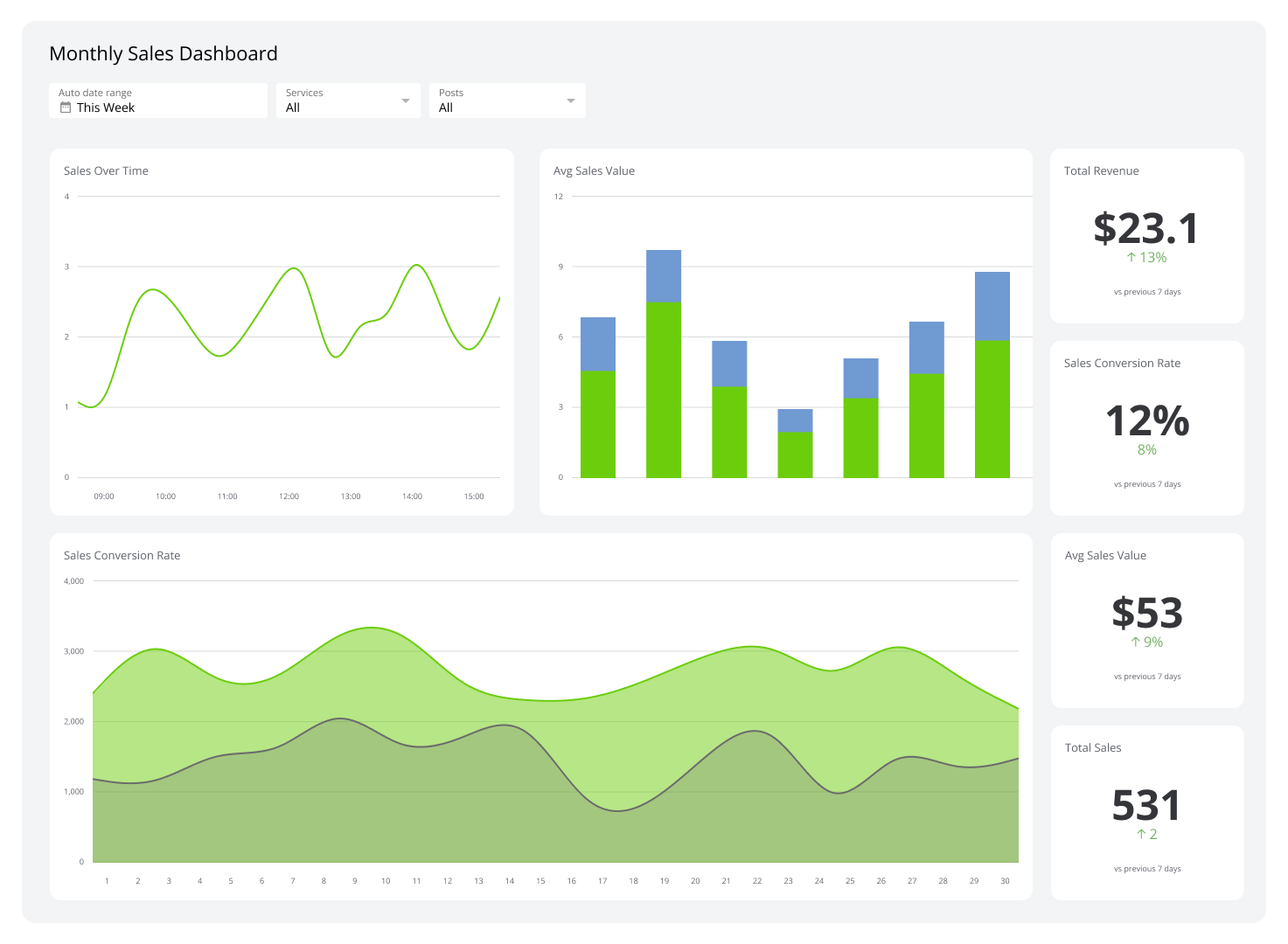
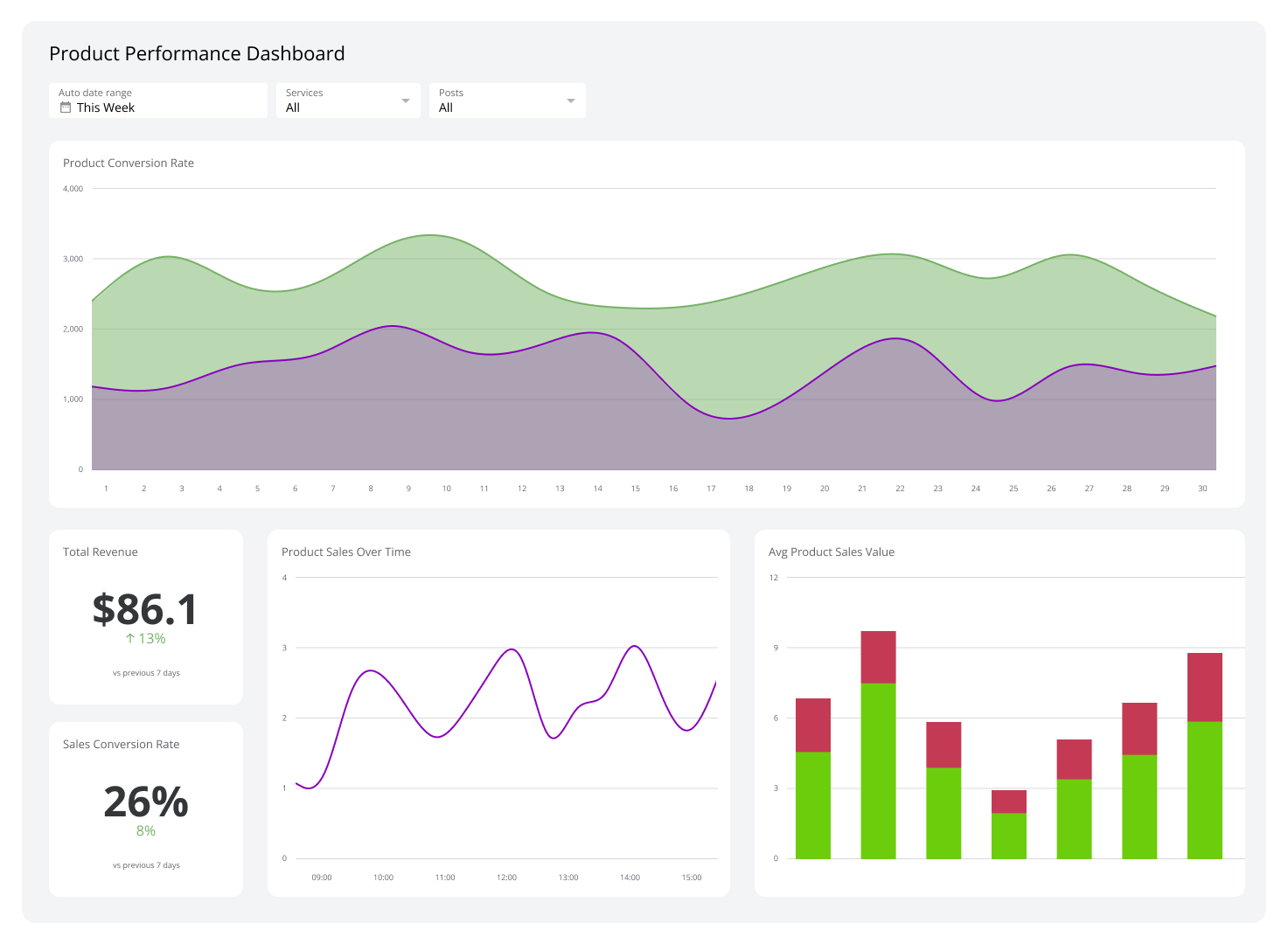
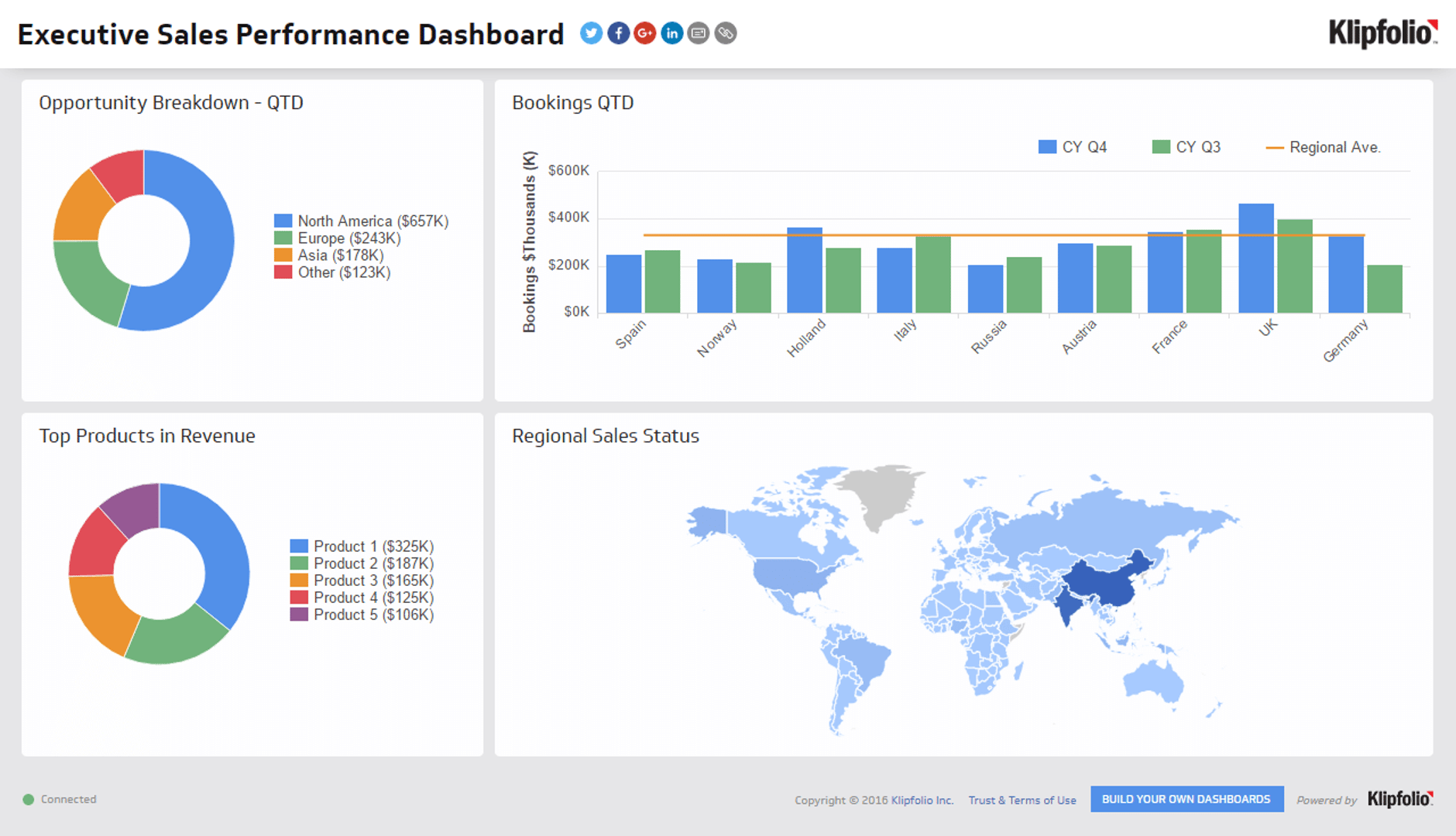
A sales performance dashboard is a visual tool that consolidates your most important sales data into a single, accessible location, giving you an at-a-glance view of team performance, revenue, and conversion health.
This dashboard helps you track everything from revenue numbers to conversion rates. The real value lies in real-time visibility into your sales operations, so you can make informed decisions quickly rather than waiting for a weekly report.
What is the difference between a sales performance dashboard and a sales dashboard?
While related, they serve different purposes. A sales performance dashboard focuses on tracking activities and outcomes against specific goals, like quota attainment or conversion rates. Think of it as your team's report card.
A more general sales dashboard might visualize any sales-related information, such as historical trends or sales distribution by region, without a direct link to performance targets. Both are valuable, but knowing the difference helps you use data more effectively.
Types of sales performance dashboards
There are several types of sales performance dashboards, each designed to focus on a different aspect of the sales process. Here are four common examples: CRM, sales activity, revenue, and opportunity dashboards.
CRM dashboard
Your customer relationship management (CRM) system holds a goldmine of data on customer interactions, sales cycles, and conversion rates. A CRM dashboard integrates this data to provide real-time insights into how your customers are engaging with your team.
You can monitor new contacts added, the status of current prospects, and lead-to-sale conversion rates. A CRM dashboard is invaluable for understanding customer behaviour and improving sales cycle efficiency. It helps your team act quickly, for example, by identifying a drop in interactions before it becomes a lost sale.
Example KPIs to track on your CRM dashboard
- Sales Cycle Length: Measures the average time it takes to close a sale from initial contact. It helps you understand your sales process duration and identify bottlenecks in the pipeline.
- Length of pipeline: Tracks the total number of deals in your sales pipeline, giving you a clear view of how many potential sales your team is currently working on.
- Sales Targets: Goals set to measure the products or services the sales team aims to sell in a specific period. They help track performance, motivate teams, and directly influence revenue and market share.
Sales activity dashboard
Monitoring day-to-day operations is essential, and a sales activity dashboard does exactly that. It provides a detailed view of daily sales activities, including calls made, emails sent, meetings held, and proposals delivered.
This dashboard helps sales managers ensure their teams are actively engaging with prospects and customers. A drop in daily activities might signal a need for additional training, a reallocation of resources, or a realignment of sales territories.
Example KPIs to track on your sales activity dashboard
- Sales Bookings: Tracks the total value of sales contracts signed within a specific period. It provides a clear measure of how much business your team has secured.
- Closing Ratio: Measures the effectiveness of your sales team in converting opportunities into customers, offering critical insight into performance at the final stages of the sales process.
- Sales Per Rep: Calculates the average sales revenue generated by each sales representative to evaluate individual performance and ensure all team members are contributing to overall goals.
Revenue dashboard
A revenue dashboard tracks and analyzes your income streams, which is particularly useful for businesses with diverse product lines or multiple geographic regions.
Breaking down revenue by product or region reveals which areas are performing well and which need attention. If one region shows consistently lower revenue, you can respond with targeted marketing efforts or a shift in sales tactics tailored to that market.
Example KPIs to track on your revenue dashboard
- Average Profit Margin: Measures the percentage of revenue that remains as profit after all expenses. It helps assess financial health and informs decisions on pricing and cost management.
- Customer Lifetime Value: Predicts the total net profit a business can expect from a customer over their entire relationship. This helps guide decisions on customer acquisition and retention strategies.
- Customer Acquisition Cost: Measures the total cost of sales and marketing efforts required to acquire a new customer.
Opportunity dashboard
An opportunity dashboard highlights potential sales opportunities by analyzing market trends and customer behaviour. It helps identify which products are in high demand, where gaps exist in the market, and how your offerings compare to competitors.
This dashboard guides where to focus marketing and sales resources most effectively. If you spot an emerging trend early, you can launch a targeted campaign before competitors do.
Example KPIs to track on your opportunity dashboard
- Sales Opportunities: Organizes prospects based on their potential value and likelihood of closing, helping you prioritize sales efforts effectively.
- New Leads Generated: Measures the total number of new leads added during a specific period, which is crucial for evaluating the effectiveness of marketing and lead generation campaigns.
- Win Rate: Indicates the percentage of deals closed compared to the total number of opportunities pursued. It's a key indicator of your sales team's effectiveness.
How to build an effective sales performance dashboard
Creating a dashboard is one thing; making it effective is another. An effective dashboard should inform your sales strategies and drive business growth.
Identify key metrics to track
Start by pinpointing the metrics that truly reflect the health of your sales operations. Understand your business goals, then choose sales metrics that measure progress toward them. Focus on metrics that offer real insights into sales volume, revenue, conversion rates, and customer acquisition costs.
Choose the right tool
The effectiveness of your dashboard depends heavily on the tool you use. Choose dashboard software that integrates with your existing systems and provides up-to-date data. Klipfolio Klips lets you connect a wide range of data sources, including CRMs and cloud services, and build powerful dashboards without extensive technical knowledge.
Design for clarity
Design your dashboard to highlight the most important information. Use clear, easy-to-read graphs and charts. Place the most critical metrics, like revenue and key sales KPIs, at the top or in the most prominent position. A well-organized layout speeds up data comprehension and supports faster decision-making.
Add interactive elements
Filters and drill-down capabilities let you and your team customize your view of the data. Filter an overall revenue chart to see numbers for a single product line or region. Drill down from total sales figures to a breakdown by individual rep. This level of detail helps pinpoint specific areas of concern or opportunity.
Keep it current
A sales performance dashboard is not a set-it-and-forget-it tool. As market conditions shift and your business evolves, the metrics you track must evolve too. Schedule regular reviews to confirm the dashboard still delivers value, and adjust based on user feedback and changes in business focus.
Gather feedback
The people who use the dashboard every day are your best source of improvement ideas. Make it a habit to discuss their experiences during team meetings. Encourage open communication about what's working, what's not, and whether the metrics remain relevant. This approach improves usability and ensures the dashboard meets your organization's needs.
Common mistakes when building a sales performance dashboard
A few common mistakes can undermine a dashboard's effectiveness before it ever drives a decision. Here's what to avoid.
Overloading with data
Packing a dashboard with too much information overwhelms users and obscures key insights. Limit the metrics on your dashboard to those that directly align with your strategic goals. A clean, focused layout makes it easier to understand what matters.
Ignoring real-time data
Dashboards that rely on stale information lead to poor strategic choices. In a fast-moving sales environment, fresh data keeps your team agile. Use a dashboard tool that supports real-time or frequently refreshed data feeds.
Neglecting data accuracy
Inaccurate data misleads decision-making and erodes trust. If your team doesn't trust the data, they won't use the dashboard. Regularly audit your data sources and implement automated checks that flag anomalies or quality issues.
Choosing a poor design
A complicated design makes it difficult to find crucial data quickly. Focus on simplicity and readability. Use clear layouts, intuitive charts, and explanatory tooltips where necessary. Always design with the end-user in mind.
Lacking customization options
A one-size-fits-all dashboard rarely works. A sales rep needs a different view than a sales manager or a CRO. Provide filters and selectable KPIs so each user can tailor the dashboard to their specific needs.
Build a sales performance dashboard that drives results
A well-crafted sales performance dashboard is a strategic asset, not just a data visualization tool. It gives your team a shared, real-time view of what's working, where to focus, and how to hit targets with confidence.
Ready to put your sales data to work? Klipfolio Klips connects your data sources, from CRMs and cloud services to spreadsheets, and turns that data into clear, actionable dashboards your whole team can use.
At a glance
Focus Area
Sales performance tracking, KPI monitoring, revenue dashboards, CRM dashboards, sales activity dashboards
Metrics List
Sales Cycle Length, Sales Targets, Sales Bookings, Closing Ratio, Sales Per Rep, Average Profit Margin, Customer Lifetime Value, Customer Acquisition Cost, Sales Opportunities, New Leads Generated, Win Rate
Reference Rate
Real-time to daily refresh recommended for sales activity and CRM dashboards; weekly for revenue and opportunity dashboards.
Related Dashboards
View all dashboards