YouTube Analytics Dashboard
Track views, watch time, and subscriber growth in a clear YouTube dashboard.
What is a YouTube Analytics Dashboard?
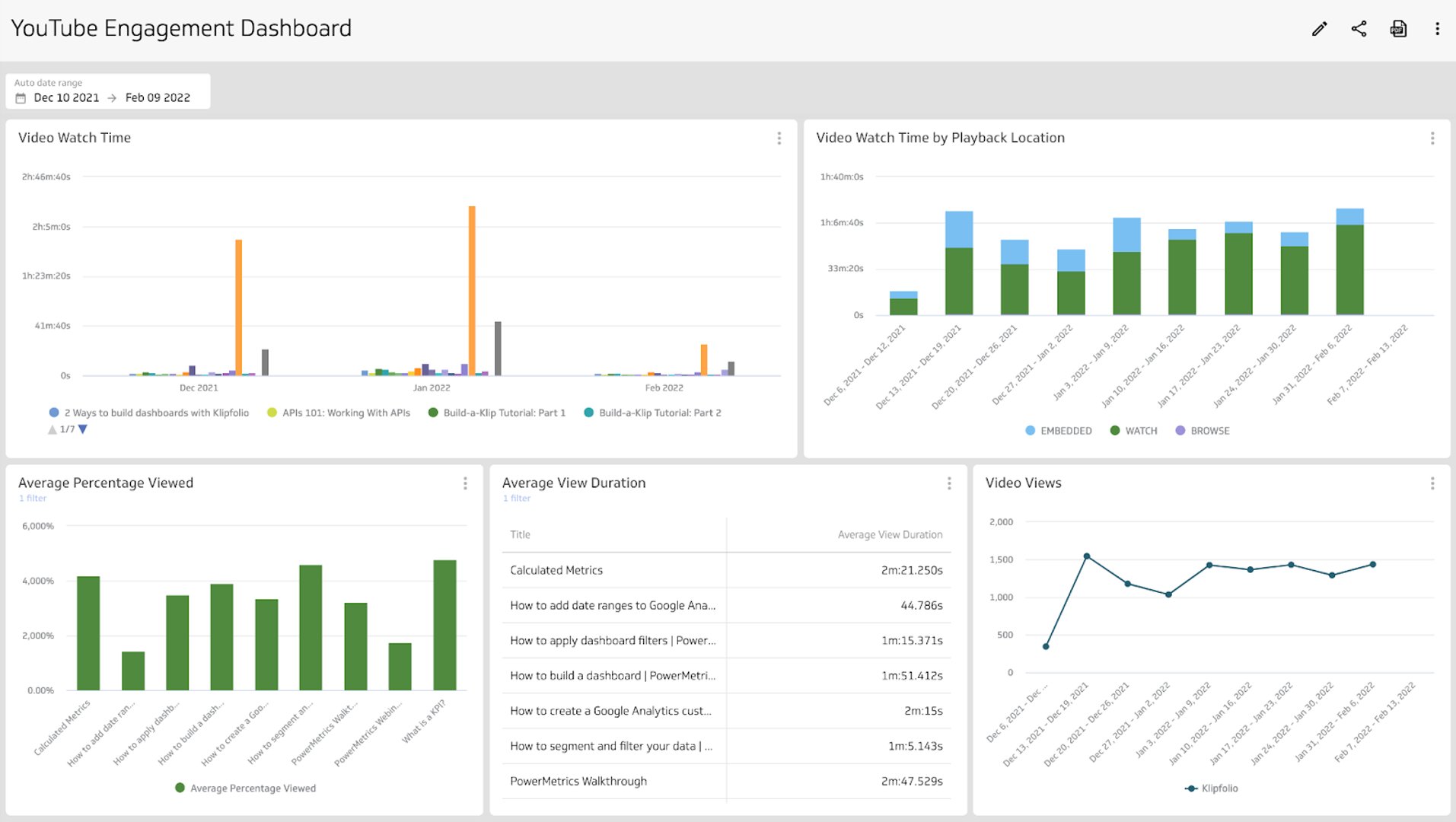
A YouTube dashboard is a visual report for your channel. It brings the metrics and KPIs you care about into one place so you can spot trends and act faster. Use it to answer questions like:
- Which videos generate the most views?
- Are your videos engaging and retaining viewers?
- Where are people discovering your videos?
- How many subscribers do you have, and how fast is that changing?
With a dashboard, you can segment data and see how your audience behaves by traffic source, geography, device, or time period.
What metrics should be included on a YouTube dashboard?
Views
Counts how many times your videos were watched over a selected period.
Watch time
Total minutes watched across your videos. A core signal for content quality and reach.
Average view duration
Average time a viewer spends watching a video. Useful for editing and pacing decisions.
Impressions & CTR
How often thumbnails were shown, and how often they were clicked. Guides title and thumbnail testing.
Subscribers
Total subscribers and net change by period. Track growth and campaign impact.
Traffic source
Breaks down views by source like Search, Suggested, External, and Browse features.
What type of visualization works best on a YouTube analytics dashboard?
YouTube data is time based and rich with dimensions. Compare periods to see seasonality or lift after a change. Break down results by traffic source, device, or geography to see where momentum comes from.
Use familiar visualizations: bar charts, line charts, and scatter plots for trends. Use a pie or stacked bar when you want parts of a whole, such as traffic source mix.
Use a bar or a line chart
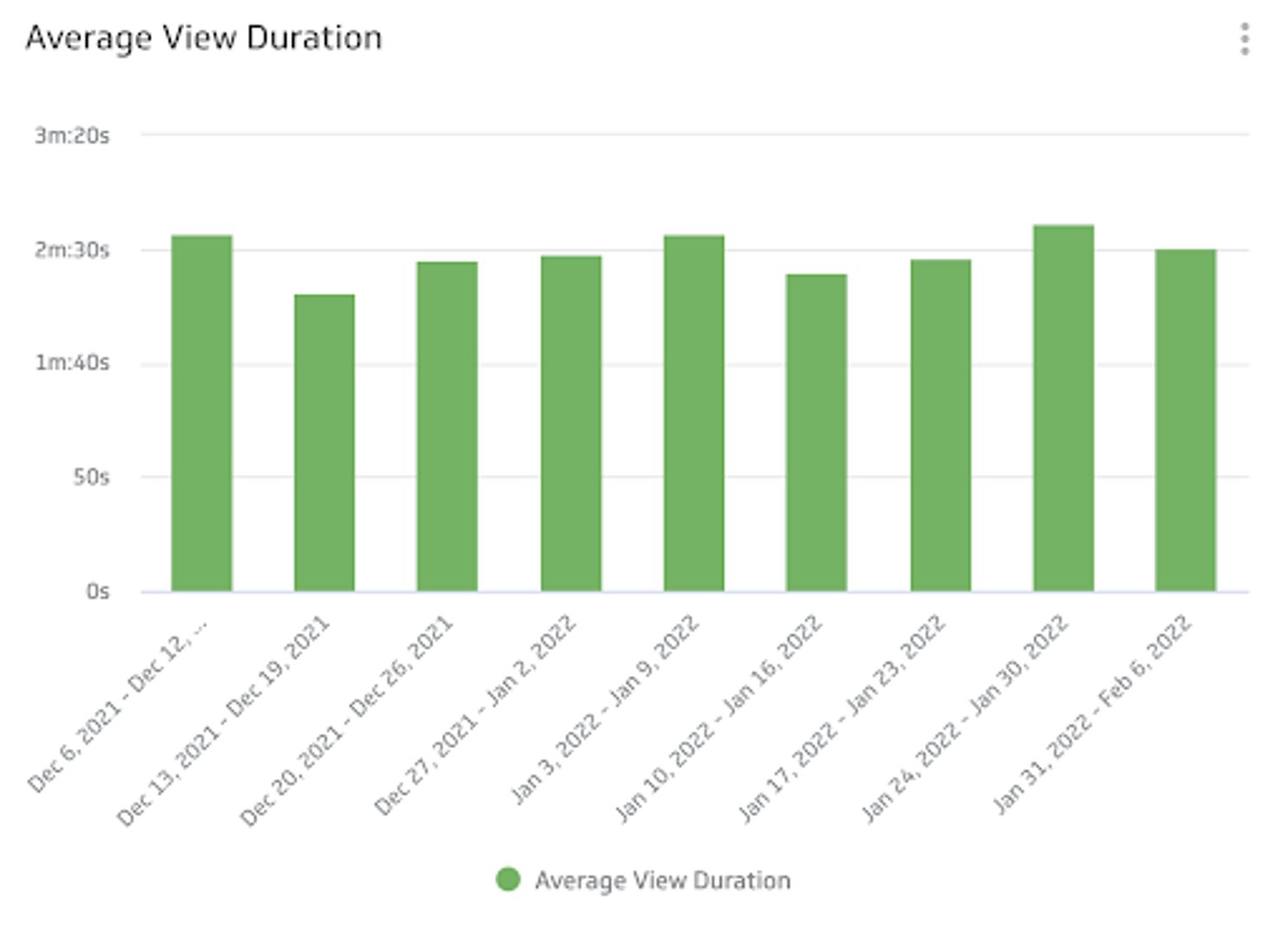
Compare watch time or views by device each week with a bar chart. Average view duration over time works well as a line chart so you can spot dips after the first 30 seconds.
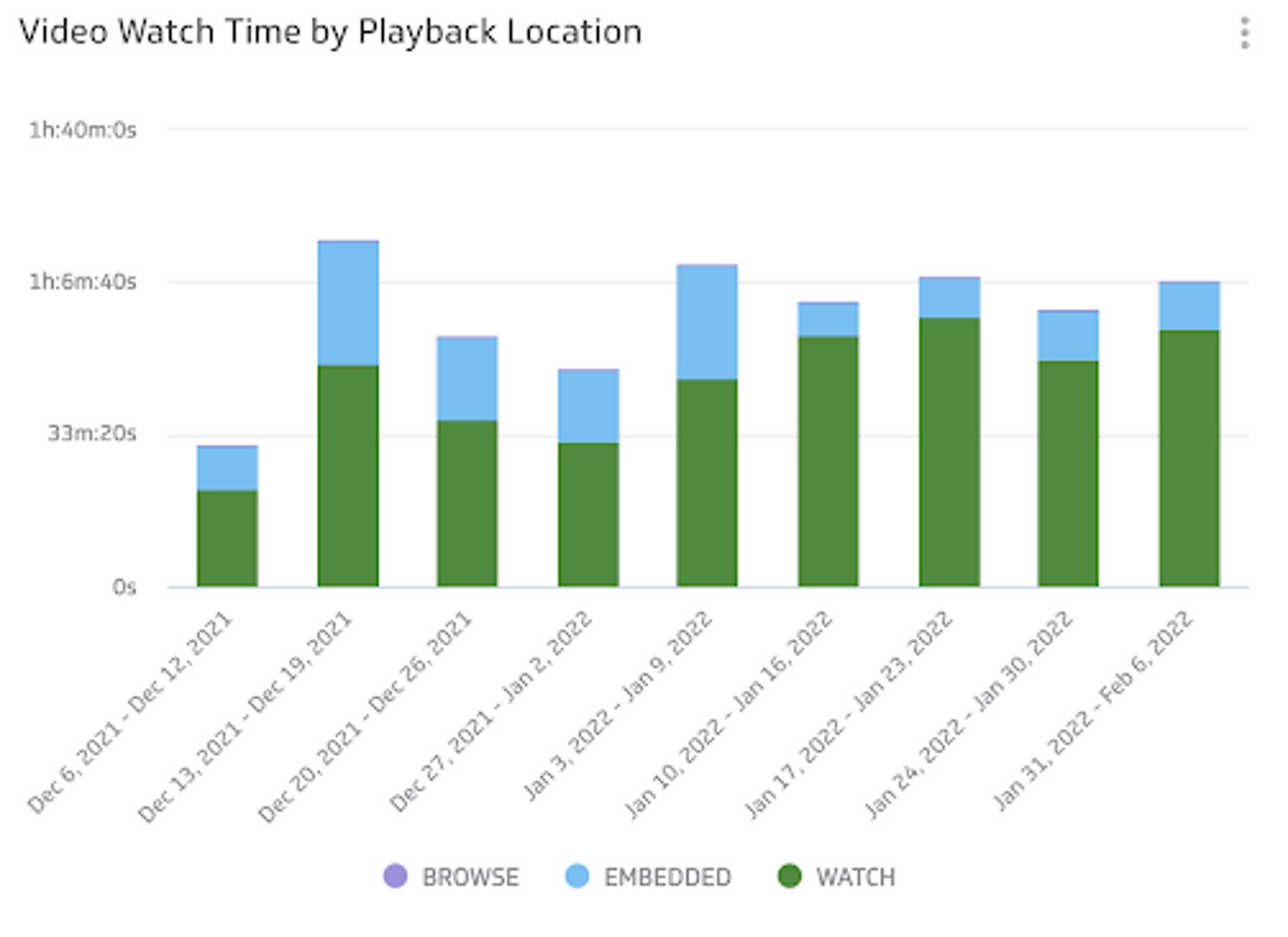
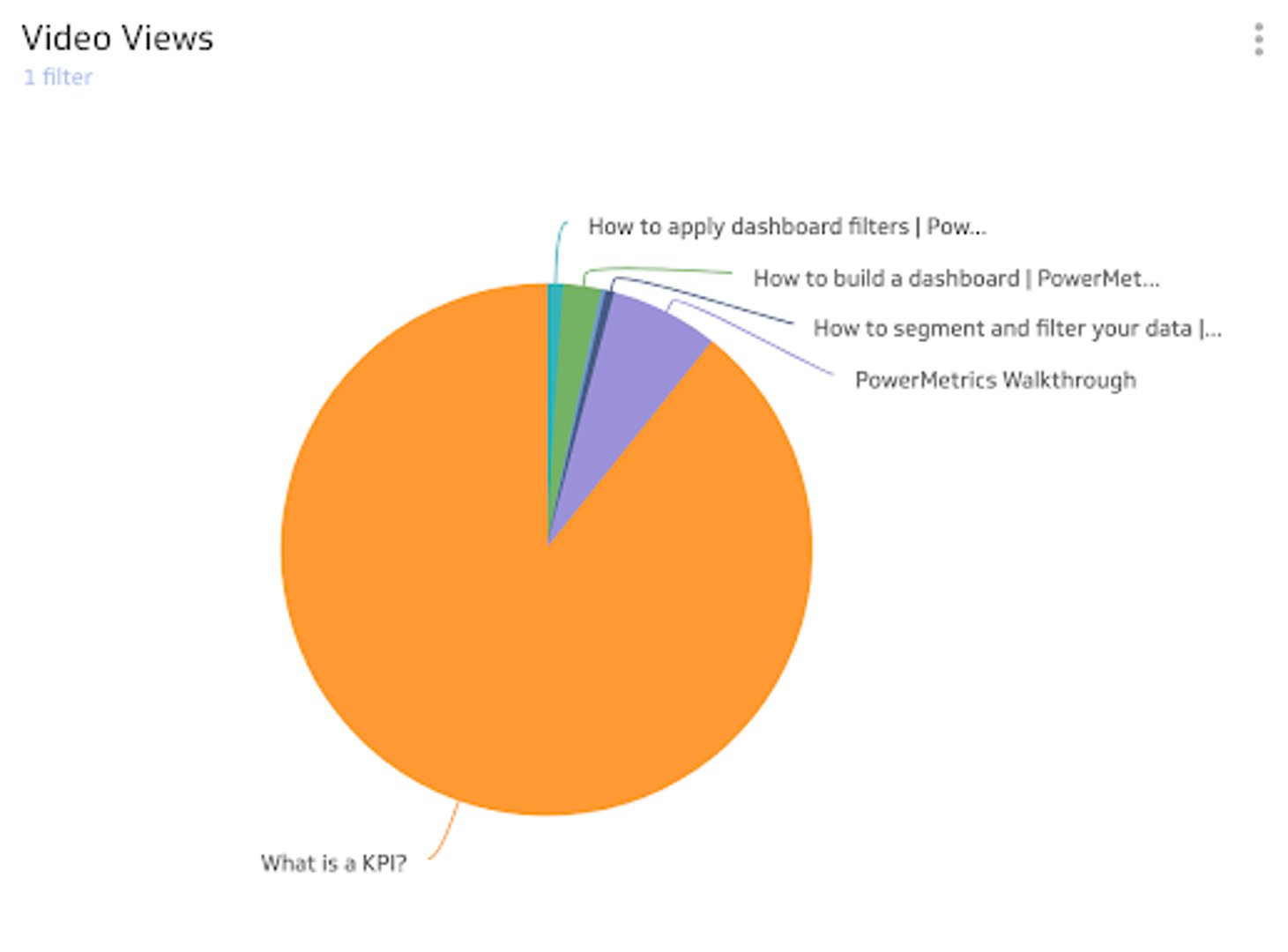
Use a pie or stacked bar to compare values
See parts of a whole quickly. For example, show video views by traffic source for the last 28 days to see which discovery paths matter most.
Use a summary chart for quick checks
Track subscriber growth or top video views with a single value and a period comparison so you can tell if you are trending up or down.
Benefits of a YouTube analytics dashboard
The main benefit is shared visibility. A Klips dashboard lets your team check channel performance without logging into separate tools. You choose the right date ranges, the right charts, and the right distribution method: private link, TV mode, PDF, or scheduled email.
Dashboard inspiration for your YouTube analytics
It can be hard to know where to start. Organize metrics so they make sense to you and to anyone who needs to reference the page. Try these layouts.
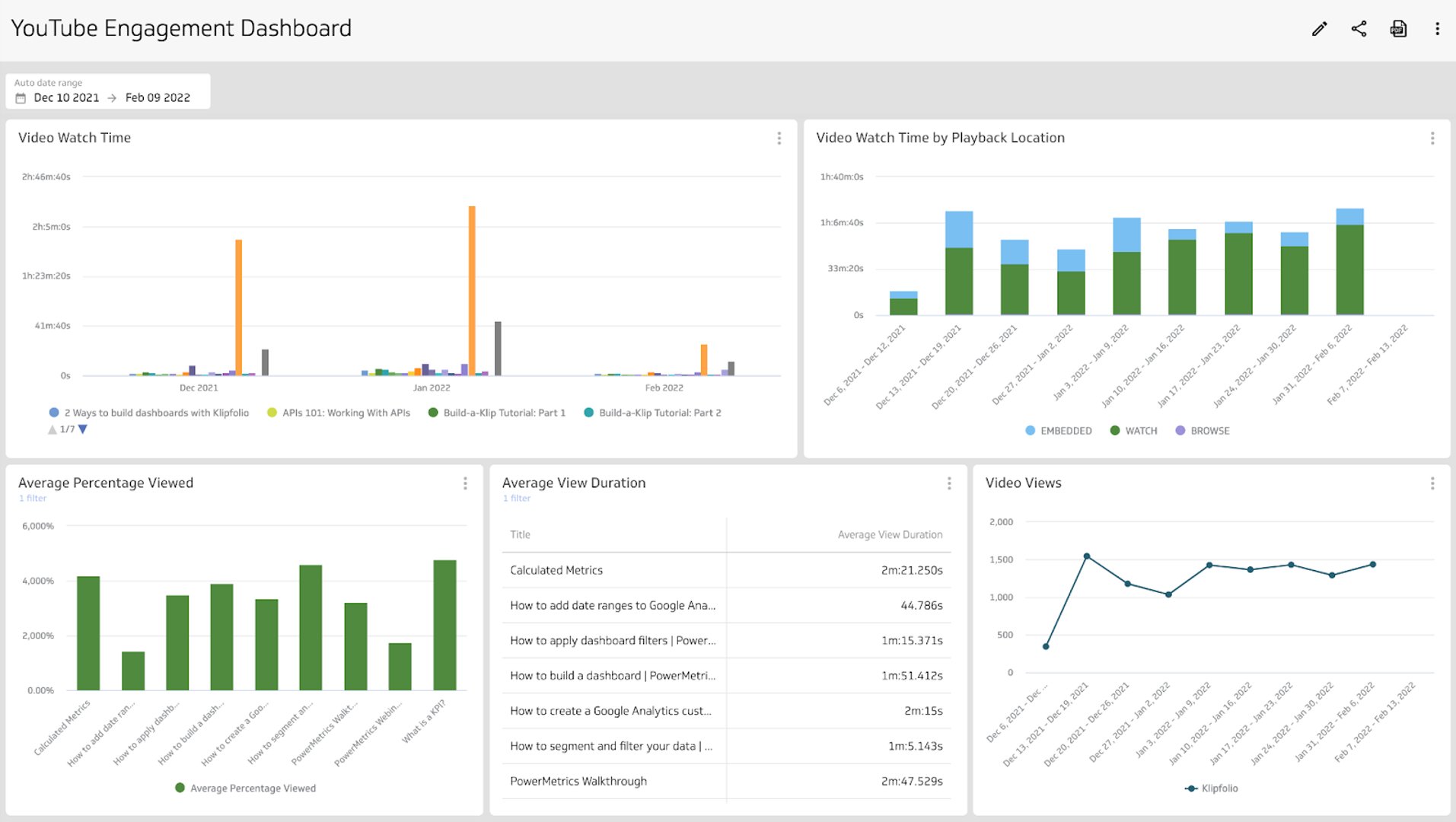
Track viewer engagement
Build a dashboard that focuses on how people engage with your videos. Use it to answer:
- What is the average view duration?
- What is the average percentage viewed?
- Where do viewers drop off?
These patterns guide editing, hooks, and pacing for future videos.
Track your growth
Create a growth view with subscribers, channel views, and traffic source mix. Use it to answer:
- How many subscribers do you have?
- How many channel views are you getting?
- Which geographies or sources perform well?
This keeps your growth efforts focused.
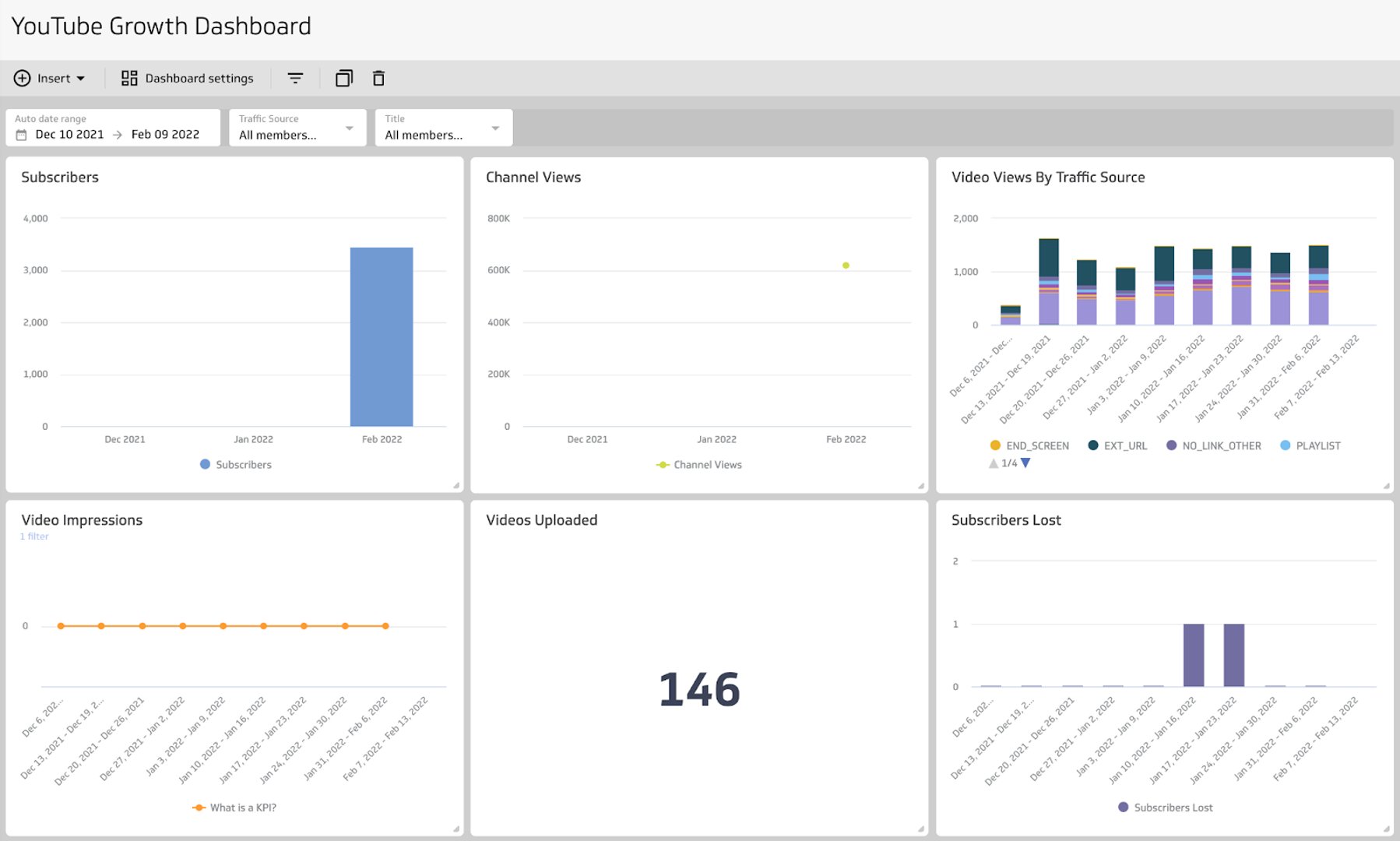
How to build a YouTube analytics dashboard in Klips
Connect your data
- Use the YouTube Data API with the Klips REST/URL connector, or pull a prepared CSV or Google Sheet.
- Create data sources for channels, videos, and analytics endpoints you need.
Design your visuals
- Add Klips for line, bar, summary, and table views.
- Include variables and filters for date range, device, geography, and traffic source.
Share with your team
- Add Klips to a dashboard, arrange, and size.
- Share by private link, TV mode, PDF export, or scheduled email.
What does success look like with a YouTube dashboard?
A strong dashboard gives your team a clear, shared read on performance. When everyone sees the same numbers, you can plan content, run experiments, and improve what works.
At a glance
Focus Area
Viewer engagement and channel growth
Metrics List
Views, Watch time, Average view duration, Audience retention, Impressions, Click-through rate (CTR), Subscribers, Traffic source
Related Dashboards
View all dashboards